Shopify is fundamentally changing how merchants customize checkout. If you’re searching for alternatives to Shopify Plus checkout scripts in 2026, you already know the news: the old Ruby-based Scripts that were exclusive to Plus are being phased out completely.
This isn’t just another platform update you can ignore. By June 30, 2026, Shopify Scripts will be fully deprecated, and they’re already unavailable for new Plus stores. The old Script Editor app? Gone from the app store.
But there’s good news: this change actually opens up better opportunities.
The new solutions are faster, more accessible, and surprisingly easier to use. You just need to know where to look.
This guide will walk you through everything: why Shopify Scripts are disappearing, what’s replacing them, and how to transition without losing the custom checkout logic your business depends on. By the end, you’ll have a clear roadmap for future-proofing your checkout in the post-2024 Shopify landscape.

Why Are Shopify Scripts Being Deprecated?
Shopify Scripts have been the go-to solution for advanced checkout customizations on Plus plans for years. They let merchants write Ruby code to modify prices, add gifts automatically, change shipping options, and implement custom payment rules based on complex logic.
Think of Scripts as the Swiss Army knife of checkout customization.
Need to automatically apply a 10% discount when someone buys three items? Script it. Want to remove certain shipping options for specific product combinations? Script it. BOGOs, tiered discounts, conditional free gifts, payment method hiding based on cart contents? All possible with Scripts.
The problem is that Scripts were built on aging technology. They ran in Shopify’s checkout environment with performance limitations, required Ruby expertise to maintain, and were frozen with no new features coming.
Shopify originally announced Scripts would end in August 2024. They extended it to August 2025. Then in April 2025, they extended it again to June 30, 2026.
The message is clear: Scripts are done. No exceptions.
If you’re still using Scripts today, you need a migration plan. If you’re not on Plus and wanted similar capabilities, the good news is the playing field just leveled out.

What Are Shopify Functions and How Do They Replace Scripts?
Shopify’s answer to Scripts is Shopify Functions, and it’s not just a replacement. It’s actually a significant upgrade.
Functions are essentially mini-programs that extend Shopify’s backend logic in a safe, scalable way. They cover the same use cases as Scripts (discounts, shipping calculations, payment rules) but with major improvements that change the game.
Can I Use Shopify Functions Without Plus?
This is huge.
Unlike Scripts, using Shopify Functions doesn’t require a Shopify Plus plan. They’re available to merchants on any plan through apps or custom development.
In the past, only Plus stores could run custom checkout code. Now, even a Basic Shopify store can use Functions by installing a compatible app. Advanced discounts and checkout logic are no longer a Plus-only superpower.
Are Shopify Functions Faster Than Scripts?
Functions run in about 5 milliseconds, making them blazingly fast (about 100× faster than legacy Scripts). This speed ensures your custom logic won’t slow down checkout, which was a real concern with Scripts.

When milliseconds matter at checkout (and they do), this performance difference directly impacts conversion rates.
How to Deploy and Maintain Shopify Functions
Functions compile to WebAssembly and deploy as part of an app, not as manually coded admin scripts. This brings several benefits.
Better maintainability: Functions are version-controlled and can be reused across stores. Your team (or your developer) isn’t maintaining brittle Ruby scripts that break when Shopify updates.
Non-developer friendly: Shopify provides a UI for merchants to configure function inputs once the function is installed. You can adjust discount percentages or conditions without touching code.
Scripts required editing Ruby for any change, often needing a developer each time.
Richer logic: Functions can tap into more store data and combine multiple effects. For example, new discount Function APIs let one function apply item discounts and shipping discounts together, something that was clunky with separate Scripts.
Shopify is actively adding capabilities to Functions, like support for cart attributes, more complex Buy X Get Y logic, and stacking multiple discounts on one item through 2025 and 2026. Scripts, by comparison, are frozen.
Can I Use Shopify Functions Without Coding?
While coding a Function yourself requires developer skills (Shopify provides a CLI and you can write Functions in languages like Rust or AssemblyScript), you don’t have to write them from scratch.
Many Shopify apps now offer pre-built Functions with easy configuration, effectively acting as no-code alternatives to custom scripts.
Developers write these mini-programs, but you don’t need to be a coder to use them. You just install an app and configure your rules through a visual interface.
Shopify Scripts Deprecation Timeline: What You Need to Know
Understanding the timeline helps explain why “post-2024 update” matters:
2022-2023: Shopify introduces Functions (initially for discounts, later for shipping and payment) and Checkout UI Extensions. They signal these will replace Plus-exclusive Script Editor and checkout.liquid customizations.
Mid-2023: Shopify announces the first deprecation deadline: Shopify Scripts support to end by August 13, 2024.
Late 2023: Realizing not all merchants will transition in time, Shopify extends the Script deprecation deadline. By early 2024, the new date becomes August 28, 2025. (This was humorously reported as giving Scripts “a stay of execution.”)
Mid-2024: Shopify officially turns off the ability to edit checkout.liquid for Plus stores. Plus merchants can no longer use checkout.liquid to hide/show payment methods; they must use the new Payment Function API or apps.
April 2025: Another extension. Shopify announces that Scripts deprecation is pushed to June 30, 2026. The stated reason is to give merchants more time to migrate and allow Shopify Functions to mature with all necessary features.
Late 2025-2026: We’re in the transition period right now. You may still have a Script running if you’re a Plus store, but Shopify has made it clear that the future (and present) is Functions.
The takeaway? As of 2025, the future is Functions. If you haven’t already, start planning your migration.
How to Replace Common Shopify Script Use Cases
Shopify Scripts were used for several categories of custom checkout logic. Here’s how to achieve the same outcomes with modern alternatives:
How to Replace Discount Scripts with Shopify Functions
One of the most popular uses of Scripts was creating conditional discounts beyond Shopify’s built-in limitations.
Buy One Get One free deals, tiered discounts (spend $X, get Y% off), quantity breaks (buy 5+, get 10% off), and free gift with purchase promotions.
Modern Solutions:
Shopify Functions (Discount Function API)
Shopify’s Discount Function capability was specifically built to handle these scenarios. A custom function can examine the cart and apply a discount or add an item as needed.
As of 2025, you can create Functions for virtually any promotion logic (BOGO, tiered discounts, gift with purchase, combo deals) either by coding them or using an app.
For instance, Functions now support combining product discounts and shipping incentives in one offer (spend $100, get 10% off and free shipping). They’re also adding support for more complex buy X get Y rules and stacking multiple discounts on the same item by 2026.
Public Apps for Promotions
You don’t need to write these functions yourself. The Shopify App Store offers many promotion and upsell apps that have adopted Functions under the hood.
These apps provide a friendly interface to create the deals you want, and they deploy the necessary Function code automatically. For example, apps help merchants migrate Scripts to Functions and build promotions with a visual editor.
Merchants using them have reported it as “an outstanding alternative to Shopify Scripts” that let them recreate complex bundle discounts without major development work.
Pre-configured Checkout URLs
Another approach, especially useful if you’re not on Plus or want a no-code solution, is to use pre-built checkout links to deliver promotional deals.
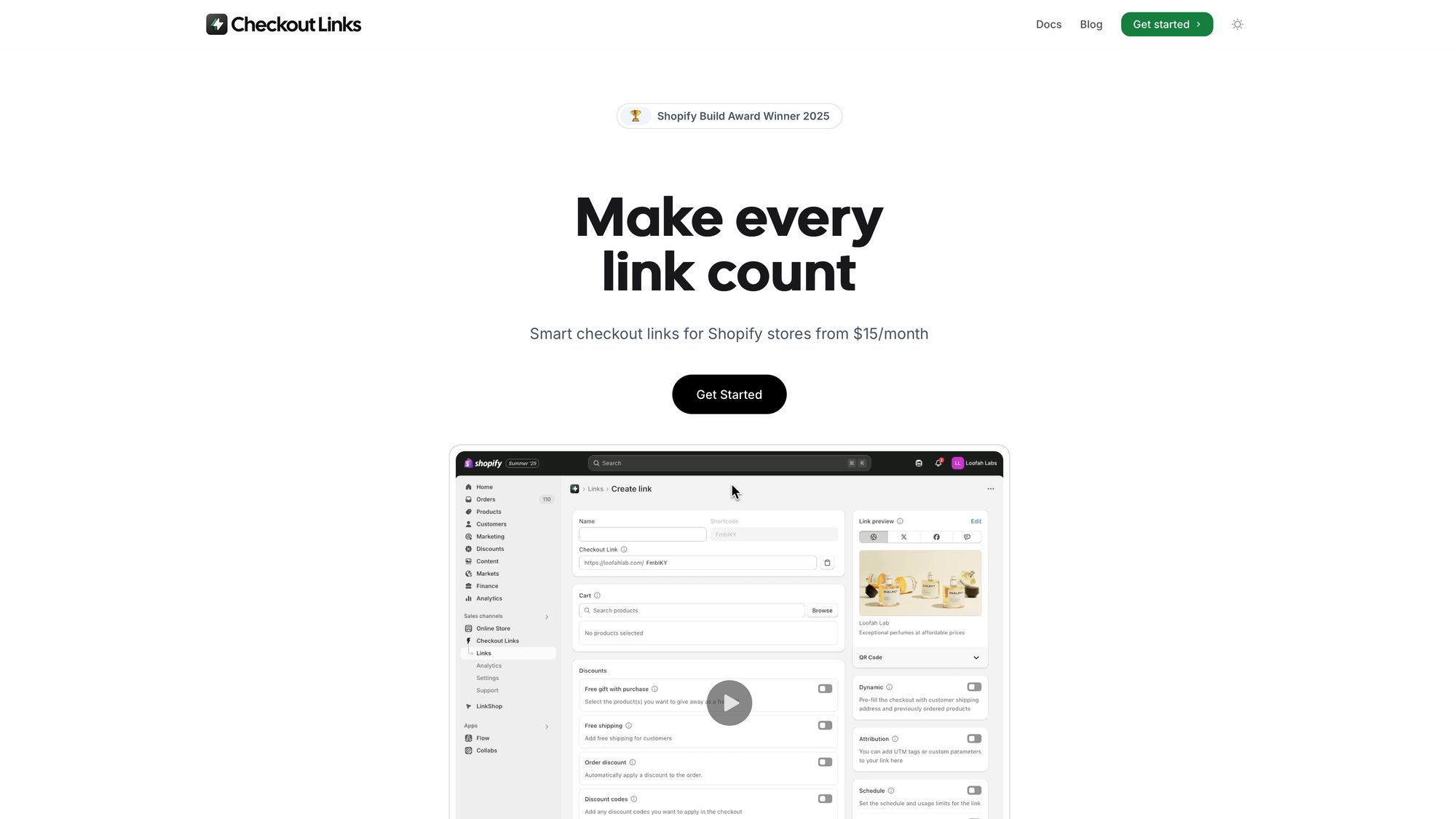
This is where Checkout Links comes in. Instead of running code during checkout for everyone, Checkout Links allows you to generate special URLs that take customers to checkout with certain products, discounts, or even free gifts already applied.
Say you want to offer a free gift for orders over $50.
With Checkout Links, you create a link that adds the free gift and applies a discount making it 0 once the cart total hits 50. Share that link in your campaign, and customers clicking it get the exact experience you designed.
Checkout Links uses Shopify’s latest APIs (including Functions for discount logic) behind the scenes, so it’s fully compatible with the new system. The upside is it works on any Shopify plan (you don’t need Plus or a developer at all) and it’s configured through a simple interface.
Merchants can set up threshold-based free gift offers with progressive messaging in a few clicks. This approach shines for marketing campaigns, one-click upsells, email offers, and anywhere you control the traffic via a special link.
(If you need site-wide automatic promotions without special links, then a Function or app embedded in checkout would be the way to go instead.)
Pro tip: If you currently have Scripts for complex discounts, identify exactly what each script does. In many cases, you’ll find an app that already provides that promotion type using Functions. Installing that app and configuring an equivalent offer can replace the Script in hours.
If your promotion is highly unique, you may need a developer to write a custom Function, but it will be more maintainable going forward. Any merchant can use discount Function apps now, not just Plus stores. The barrier to advanced promotions has dropped dramatically.
How to Replace Shipping Scripts with Modern Solutions
Shopify Scripts also let Plus merchants alter shipping options during checkout. Offering free shipping if the cart met certain conditions, hiding or renaming shipping methods based on products, or implementing tiered shipping discounts.
Modern Solutions:
Shopify Shipping Function
Shopify introduced a Shipping Rates Function API that allows calculation of shipping costs or filtering of shipping methods based on custom logic (for Plus stores). This can replicate things like “free shipping over $X” or “remove express shipping for oversized items” in a more robust way.
You either code this via an app or use an app that provides pre-made rules.
Apps for Shipping Rules
Third-party shipping apps (like ShipScout, Intuitive Shipping, etc.) historically handled advanced shipping logic outside of Scripts. Many of these apps are now integrating with Shopify’s native shipping function capability for Plus stores, or provide their own rate calculation via carrier service API for non-Plus.
If you had a simple free shipping threshold, Shopify’s built-in shipping settings or discount codes could even cover that. But for complex scenarios (per-product shipping rules, postcode-based options), look for an app that explicitly mentions compatibility with Shopify’s new checkout extensibility.
Smart Checkout Links for Free Shipping
Some cases of conditional free shipping can also be achieved through the promotion route.
For example, instead of dynamically removing a shipping charge via script, you could generate a discount code or link for free shipping and distribute it to the intended audience using Checkout Links.
If it’s meant to apply globally under certain conditions, a shipping function or shipping app is a cleaner replacement.
How to Customize Payment Methods Without Scripts
Another ability of Plus Scripts (specifically Payment Scripts) was to control payment options. Merchants could hide certain payment gateways for specific conditions (maybe disabling PayPal for subscription products, or reordering the payment options shown to customers).
Modern Solutions:
Payment Method Function API
Shopify introduced a Payment Customization Function API to handle this use case. It allows you (or an app) to rename, reorder, and hide payment methods at checkout based on custom logic.
For example, you could create a function that:
• Hides “Cash on Delivery” if the cart contains gift cards
• Forces a certain payment method for a particular customer tag
• Sets payment terms or renames methods for a tailored experience
Apps for Payment Rules
There are apps in the Shopify App Store that utilize this Payment Function API. Installing a payment customization app gives you a no-code interface to implement rules (such as “hide Affirm for carts below $50” or “rename ‘Credit Card’ to ‘Pay with Visa/Mastercard’”).
According to Shopify, stores on any plan can use apps to modify alternative payment methods (like wallets, installment options), but credit card option customization is limited to Plus in the US/Canada.
This is an important nuance: due to regulations, only Plus stores can fully hide or reorder credit card options in those regions, whereas Basic/Advanced stores can manipulate other payment methods via apps. Non-Plus merchants can still use payment customization apps for things like hiding PayPal or Afterpay, but to customize the core credit card form, Plus is required in North America.
How to Add Checkout Validation Rules Without Scripts
Some Scripts were used to enforce business rules at checkout (preventing checkout if the cart didn’t meet certain criteria). Maybe a wholesaler must have 10+ items, or a discount code can only be used once per customer.
Modern Solutions:
Cart/Checkout Validation Function
Shopify Functions include the ability to reject a checkout based on custom logic. This is a newer addition that can show an error message and stop the purchase if conditions aren’t met.
For instance, you could ensure a customer doesn’t buy more than 5 of a limited item by writing a validation function (or using an app that offers this).
If you use Checkout Links and enable per-customer usage limits on a promotional link, it relies on Shopify’s checkout validation function to enforce that the same customer can’t reuse the deal. This requires a one-time setting in Shopify’s admin to allow the validation to run.
Shopify Flow and Other Tools
If you’re a Plus merchant, you might also use Shopify Flow for certain validations (Flow can’t block checkout in real-time, but it can cancel orders or tag them post-purchase). Going forward, real-time validation should be done with Functions for a seamless experience.
As of Q3 2025, Shopify is even adding the ability for discount Functions to reject discount codes that shouldn’t apply and give a message (which covers scenarios like saying “Sorry, this code is only for new customers” and not allowing it).
How to Customize Checkout UI Without checkout.liquid
It’s important to mention the visual side of checkout customization. Shopify Scripts by themselves did not change the look of the checkout; that was handled by checkout.liquid for Plus stores, and by injecting scripts in the “additional scripts” box for all stores (commonly used for tracking pixels or minor tweaks).
Modern Solutions:
Checkout UI Extensions
For Plus stores, the checkout.liquid file was deprecated in 2024 and replaced by Checkout UI Extensions. These are custom or app-provided extensions that can add elements to the checkout pages (an upsell offer, custom text, or a progress bar).
They’re built using Shopify’s extension framework and App Bridge, ensuring they don’t break when Shopify updates checkout. Many Plus apps (like upsell apps, donation apps, etc.) now use UI extensions to insert content in checkout.
If you had custom HTML or JS in checkout.liquid, you would need to rebuild that as an extension or find an app that offers similar functionality.
Pixels and Tracking
The old “Additional scripts” box for the thank-you page is also on its way out. Shopify now encourages using the Web Pixels feature for adding analytics and tracking code to checkout. This is more secure and ensures third-party scripts don’t interfere with checkout performance.
In short, any customization that involves code in checkout is now handled via structured app extensions, not by directly editing Shopify’s checkout code. This is a big shift from the past.
It may feel limiting (especially to veteran Plus merchants who enjoyed tinkering with Liquid), but it leads to a more stable, upgrade-safe platform.
As Shopify’s Plus team notes, Checkout Extensibility allows “endless modifications to checkout without checkout.liquid and remaining upgrade-safe.”
Best No-Code Apps to Replace Shopify Scripts

A recurring theme here is that Shopify Apps have stepped up to make the transition easier. You might be wondering: Do I have to hire a developer to use Shopify Functions?
The answer is not necessarily.
While some complex or very unique scripts might require custom development, most common needs can be met with off-the-shelf apps at a fraction of the cost of Plus or custom coding.
What Types of Apps Can Replace Scripts?
Promotion and Discount Apps
These include volume discount apps, bundle builders, free gift apps, BOGO apps, and general discount rule builders. Post-2024, the best of these apps are built on Shopify Functions.
They essentially provide a visual rule-builder (for example, “If cart quantity ≥ 3, give 10% off”) and then deploy a Shopify Function in your store that executes the rule. Because they use Functions, the discounts apply natively in checkout (no hacky workarounds), and they stack or combine according to the new Shopify logic.
Look for apps that mention being “built with Shopify Functions” or “Functions-supported.” This indicates they’re aligned with the new approach and will be future-proof. Many of these apps work on any plan (not just Plus) by using Shopify’s allowance for public Function apps on all stores.
You could implement “Plus-grade” discount logic on a $29/month Basic store using one of these apps (something impossible a couple years ago).
Bundling and Wholesale Apps
If your scripts handled complex bundle pricing or wholesale discounts (tiered pricing for different customer groups), consider dedicated bundling or wholesale pricing apps. Shopify’s Functions now support these use cases as well.
Shopify also introduced native B2B pricing features for Plus. If you’re on Plus and doing wholesale, you might use the native B2B engine instead of scripts altogether.
Shipping Rate Apps
For shipping logic, you may use apps that integrate with the new system. Some apps provide advanced rate calculations (often using carrier service API or now via Functions for Plus).
If you had a shipping Script, check if the functionality is now offered by apps like Bespoke Shipping, ShipConditions, or others (many have been updating to fit the new checkout).
Payment Method Apps
To hide or customize payment options, there are a few apps in the “Payments” category (apps that let you surcharge or offer cash discounts, which inherently involve showing/hiding certain methods).
Shopify’s help center suggests searching the App Store for “payment customization” apps to do things like reorder or rename methods. Ensure any such app is using the official Payment Customization API to avoid hacks.
Checkout UI Apps
If you need visual changes in checkout, apps can provide that. For instance, there are upsell apps that add a widget on the checkout page (using a Checkout UI extension) to suggest an add-on product. Or loyalty apps that show points balance in checkout.
If your old scripts or custom code did something visual (like a custom message), you might find an app that now does it via extension. Shopify’s own free Checkout Extensibility app (Checkout Blocks) allows some simple UI tweaks and is a good starting point.
Important: When choosing apps, favor those with recent updates or notes about Shopify Functions/Checkout Extensibility. This indicates the developer is keeping up with the changes.
Also, remember that some apps can cover multiple needs. A single app might provide both discount functions and a checkout UI extension for upsells, giving you a suite of features to replace several scripts at once.
Checkout Links: Best Code-Free Alternative to Scripts
One innovative solution worth highlighting for those who want to avoid custom coding (and even avoid complex app setups) is the Checkout Links approach.
Instead of altering the checkout on the fly for everyone, Checkout Links lets you pre-create custom checkout scenarios and send customers directly into them. This flips the script (pun intended) by handling the customization before the customer even hits checkout.
How Do Checkout Links Replace Script Functionality?
Consider a scenario: previously you had a Script that automatically added a free gift when the cart subtotal was over $100.
With Checkout Links, you could create a special link for that promotion. When customers enter checkout through that link, the gift is already in their cart (at 0) once they reach 100.
You achieve the same outcome (customer gets a free gift with $100 purchase) but without any code running during checkout. It’s all handled by the pre-configured link and Shopify’s native discount function that Checkout Links applies in the background.
Because Checkout Links uses Shopify’s APIs and Functions, it’s fully compatible with the post-2024 world (it won a 2025 Shopify Build Award for its checkout integration approach). Because it’s a frontend solution, it works on any Shopify plan (no Plus needed, no custom dev needed).
When Should You Use Checkout Links Instead of Scripts?
This approach isn’t for every scenario. It’s best for:
• Marketing-driven campaigns
• Specific landing-page offers
• Abandoned cart recovery links
• Influencer promos
• Email and SMS offers
But it’s extremely powerful for those use cases. Many merchants find that they can create dozens of tailored checkout experiences for different audiences, all without touching their theme or writing code (something that would have required multiple scripts or a lot of custom work before).
For example, you can make one link that offers a teacher discount (10% off for customers with an email ending in .edu) and another that offers a holiday bundle deal, and distribute each to the right segment. Each link behaves like a mini custom checkout.
This level of agility just wasn’t possible or easy with the older script approach.
Why Rethink Your Script Replacement Strategy
When looking for “alternatives” to Scripts, think outside the box of just one-for-one replacements. Sometimes a change in approach (like using pre-configured checkout links, or using promotions in a different way) can achieve your business goal more simply.
The deprecation of Scripts is also an opportunity to revisit why you had those scripts and whether there’s now a better way to accomplish the underlying goal, either natively or via new apps.
How to Migrate from Shopify Scripts: Step-by-Step Plan
If you have been using Shopify Scripts and need to migrate, here’s a simple game plan:
1. Audit Your Existing Scripts
List out all scripts running in your store (typically found in the Shopify Script Editor app, if you still have it installed). For each script, document what it does:
• “Payment Script: hides COD for tagged wholesale customers”
• “Line Item Script: applies tiered discount on Product X”
This will help you identify the replacement for each.
2. Check Shopify’s Suggestions
Shopify provides a Scripts Customizations Report accessible via the Shopify admin or help center. This report can analyze which script functionalities have direct analogs in Functions or not.
It might tell you, for instance, that your shipping script can be replaced by a certain Shopify Function API. Use this as a guide.
3. Explore Native Features
In some cases, Shopify has introduced native features that eliminate the need for a script altogether. For example, Shopify Plus now has native volume pricing for B2B customers, so you might not need a wholesale discount script.
Or Shopify Flow might handle something like tag-based restrictions outside of checkout. Make sure you’re not reimplementing something that’s now built-in.
4. Find Apps or Partners for Gaps
For each script use-case not covered natively, look for an app solution first. The Shopify App Store (2025) has a rich selection in the “Checkout Enhancements”, “Discounts”, and “Shipping” categories.
Read app descriptions to ensure they support the scenario you need and are built for the new Functions era. Apps that explicitly mention “Shopify Functions” or “Checkout Extensibility” are ideal.
Also, read recent reviews or case studies. Are other Plus merchants using this app to replace scripts? If an app fits, install it in a test environment (if possible) and recreate your logic there.
5. Test Thoroughly
Whether you use an app or custom development, test the new setup in a safe way. Functions often can be tested on a development store or in draft orders first.
Make sure the outcome (discount applied, shipping rule working, etc.) matches what the Script did. The behavior might not be pixel-for-pixel identical (the discount might show up in a slightly different way on the checkout page), but focus on the customer experience and order results.
6. Run in Parallel (If Possible)
Since Scripts are still operational until you remove them, you have the luxury of testing the new solution while the old script is in place (just in a controlled manner).
For example, you could keep your script active but test an unpublished theme or separate link that triggers the new function to compare results. Just avoid having both apply for real customers at the same time, which could stack effects.
When ready, you can publish the new method and disable the script.
7. Monitor and Optimize
After switching over, watch your analytics. Ideally the new Functions-based solution will be invisible to customers (except perhaps faster).
Keep an eye on conversion rate and any error messages. One nice thing: because Functions integrate with Shopify’s admin, if something fails, Shopify will usually catch it gracefully.
If you adopt an app, you typically get the benefit of their ongoing improvements (for example, if Shopify rolls out a new stacking feature, your app might enable it for you automatically).
8. Remove Legacy Code
Once satisfied, remove the old Scripts from the Script Editor to avoid confusion (and to ensure they truly don’t run when the deprecation date hits).
Also remove any checkout.liquid custom code or additional scripts that are replaced by new methods. Keeping legacy code around can cause conflicts or make troubleshooting harder.
Plus, new team members or agencies will find a standardized approach (since Functions are well-documented and widely adopted) rather than deciphering a custom script from 2018.
Why Shopify Functions Are Better Than Scripts
Change can be painful, especially if you’ve invested in custom scripts for years. But there’s a silver lining to Shopify’s overhaul:
Performance Gains: Your checkout will be faster and more reliable. Shopify Functions running in under 5 milliseconds means even heavy logic (large discount tables, etc.) won’t slow down customers.
In an era of one-page checkout and mobile-first buyers, this is crucial. The old Scripts sometimes introduced slight lags or had to be optimized to avoid timeout limits. Functions operate at a scale Shopify advertises as “100× faster”.
More Capabilities: By 2025, Functions can do more than Scripts could. Some limitations of Scripts (like difficulty stacking multiple promotions, or not having access to certain Shopify data) are being overcome.
Shopify Functions will soon allow complex combinations of discounts that were very hard to implement correctly in Scripts. And because Functions aren’t limited to Plus, even smaller merchants can access advanced features.
Lower Barrier to Entry: Previously, a merchant might have upgraded to Shopify Plus just to get Scripts for a specific promotion capability (paying $2,000+ a month for one feature).
Now, that same capability might be achievable with a low-cost app on a lower-tier plan. This is a big deal for mid-sized businesses. Even for Plus merchants, not needing a full-time developer or expensive agency to maintain scripts lowers the total cost of ownership.
Apps and the wider community support around Functions mean you can iterate faster and with less risk.
App Innovation: The Shopify ecosystem is vibrant, and many app developers are seizing the new possibilities. We’re seeing creative solutions (like Checkout Links, or various bundling engines, etc.) that simply weren’t possible or as efficient before.
The deprecation of Scripts has spurred a wave of innovation as apps vie to provide the best “script replacement” solutions. The competition benefits merchants through better features and pricing.
Shopify’s Commitment: Shopify is clearly committed to Functions and checkout extensibility for the long haul. They extended the deadline to ensure no merchant is left in the lurch, and they continue to release improvements quarterly.
This means your investment in migrating now will pay off for years. Scripts were a dead-end technology with growing limitations. Functions are under active development and will only get more powerful.
Shopify also provides official support for Functions (through their docs and partner support), whereas Scripts were often a “figure it out yourself” area. If something isn’t possible yet, there’s a good chance it’s on the roadmap.
In conclusion, the post-2024 world of Shopify checkout customization is one of more possibilities, not fewer (as long as you embrace the new tools). Yes, it requires changing approach, but merchants who have gone through it report positive outcomes.
For example, one merchant noted their transition off Scripts via a functions-based app was faster than expected and eliminated major dev costs. Another plus agency described Functions as the “cooler, more sophisticated cousin” of Scripts, ready to take over without the baggage.
Your Next Steps for Migrating Off Shopify Scripts
If you’re still running Shopify Scripts, now is the time to explore alternatives. Use this guide as your roadmap: start with understanding Shopify Functions (the core replacement) and then evaluate the specific solutions (apps or custom code) that fit your needs.
The “post-2024 update” reality is that Shopify wants every merchant, big or small, to use the new framework. The good news is you won’t lose the flexible promos and custom logic you love. You’ll implement them in new, better ways.
For Shopify Plus merchants, this is an opportunity to modernize and ensure your checkout is future-proof (and to take advantage of new features like one-page checkout and Shop Pay enhancements that come with the latest checkout platform).
For non-Plus merchants, this is a chance to use capabilities that used to be out-of-reach, leveling the playing field in terms of creative promotions and checkout experiences.
Remember: June 2026 is the absolute end of the road for Scripts. It may feel far off, but don’t procrastinate. Start planning your migration in 2025 so that 2026 isn’t a scramble.
The sooner you switch, the sooner you can reap the benefits of a faster and more flexible checkout. And your customers will thank you with smoother conversions.
Checkout is where the money is made, so it’s critical to get this right. Fortunately, with Shopify Functions and the rich ecosystem around them, you can achieve everything Scripts did and more, without the downsides.
It’s the dawn of a new era for Shopify checkout (one that’s faster, smarter, and open to all).
Frequently Asked Questions
When will Shopify Scripts stop working completely?
Shopify Scripts will be fully deprecated on June 30, 2026. After this date, all Scripts will stop functioning.
While Shopify has extended the deadline multiple times, this is the final cutoff date. If you’re still using Scripts, you need to transition before this deadline.
Do I need Shopify Plus to use Shopify Functions?
No. Unlike Shopify Scripts (which required Plus), Shopify Functions are available to merchants on any plan through apps or custom development. This is one of the biggest improvements.
Even Basic Shopify stores can now access advanced checkout customizations that used to require expensive Plus subscriptions.
Can I still edit my existing Shopify Scripts?
If you’re an existing Plus merchant with Scripts already installed, you can still edit them until the June 2026 deadline. New Plus stores cannot install the Script Editor app (it’s been removed from the app store).
Shopify strongly recommends starting your migration now rather than waiting until the last minute.
What’s the best alternative to Shopify Scripts for discount automation?
The best alternative depends on your needs:
| Use Case | Best Solution | Why |
|---|---|---|
| Site-wide automatic promotions | Discount Function apps | Applies to all customers |
| Campaign-specific offers | Checkout Links | No-code, works on any plan |
| Highly custom logic | Custom Function development | Maximum flexibility |
For most merchants, discount apps built on Shopify Functions (like FJ Function Junction or other promotion builders) provide the easiest path.
Will my checkout be slower with Shopify Functions?
Actually, the opposite.
Shopify Functions run about 100× faster than Scripts (under 5 milliseconds execution time). This performance improvement means your custom logic won’t slow down checkout, which can directly improve conversion rates, especially on mobile devices.
Can I use both Scripts and Functions at the same time during migration?
Technically yes, since Scripts still work until June 2026. But you need to be careful about conflicts. If you have both a Script and a Function applying discounts, they could stack in unexpected ways.
The recommended approach is to test Functions in a development store or controlled environment, then switch over completely once you’ve verified the new setup works correctly.
What happens to my checkout customizations if I don’t migrate before June 2026?
After June 30, 2026, all Shopify Scripts will stop working. This means any custom discount logic, shipping rules, or payment customizations will immediately cease functioning.
Your checkout will revert to Shopify’s default behavior. This could disrupt active promotions and customer experiences, so it’s critical to plan your migration well before the deadline.
Are there any Script use cases that Functions can’t replace yet?
As of 2025, Shopify Functions cover most common Script use cases (discounts, shipping, payment customization, validation). Shopify is actively adding capabilities quarterly.
If you have a very specific edge case, check Shopify’s Scripts Customizations Report in your admin, which will tell you if there’s a direct Function replacement or suggest alternative approaches.
How much does it cost to migrate from Scripts to Functions?
The cost varies widely:
• Low-cost apps: $15-50/month for apps that replace common Scripts with no development needed
• Custom Functions: $500-5,000+ depending on complexity (requires developer)
• No-code solutions: Apps like Checkout Links ($25/month) can replace multiple Scripts at a fraction of previous development costs
Many merchants find that using apps can replace several Scripts at once, making the total migration more affordable than expected.
Can I hide payment methods without Shopify Plus?
Partially. Due to regulations, only Plus stores can customize credit card payment options in the US/Canada.
Non-Plus stores can still hide or reorder alternative payment methods (like PayPal, Afterpay, Apple Pay) using payment customization apps built on Functions. If you need full payment customization including credit cards in North America, you’ll need Plus.
What’s the difference between Shopify Functions and Checkout UI Extensions?
| Feature | Shopify Functions | Checkout UI Extensions |
|---|---|---|
| Purpose | Logic and backend customization | Visual customization |
| Use cases | Discounts, shipping, payment rules | Adding content, fields, widgets |
| Examples | Calculate discount, filter shipping | Show promotional banner, upsell widget |
| Developer required | Sometimes (or use apps) | Usually (or use pre-built apps) |
Often you’ll use both together. For example, a Function might calculate a discount, while a UI Extension displays a promotional banner. Both are part of Shopify’s new Checkout Extensibility framework that replaces Scripts and checkout.liquid.