Getting a customer to buy once is hard. Getting them to buy again? That’s where the real money is.
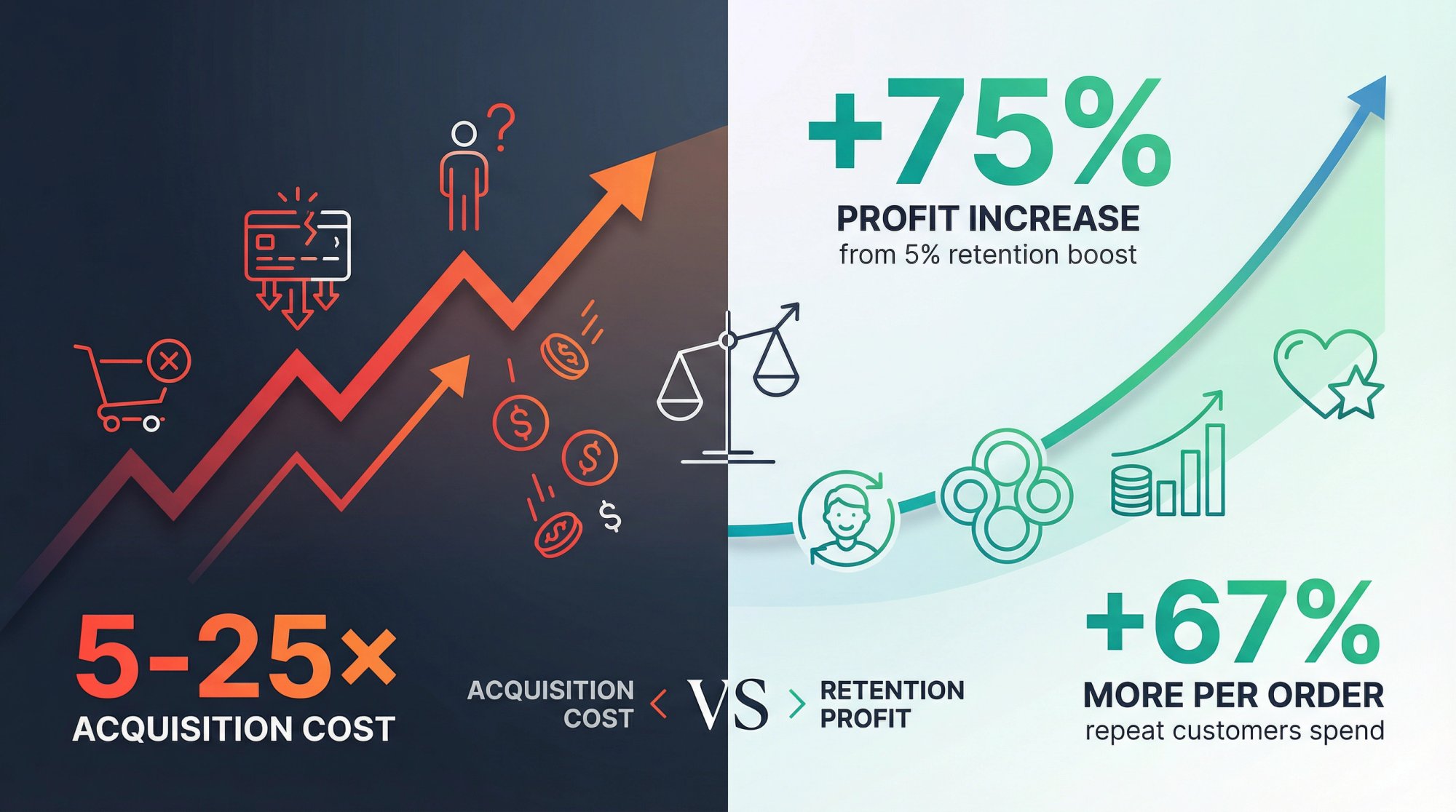
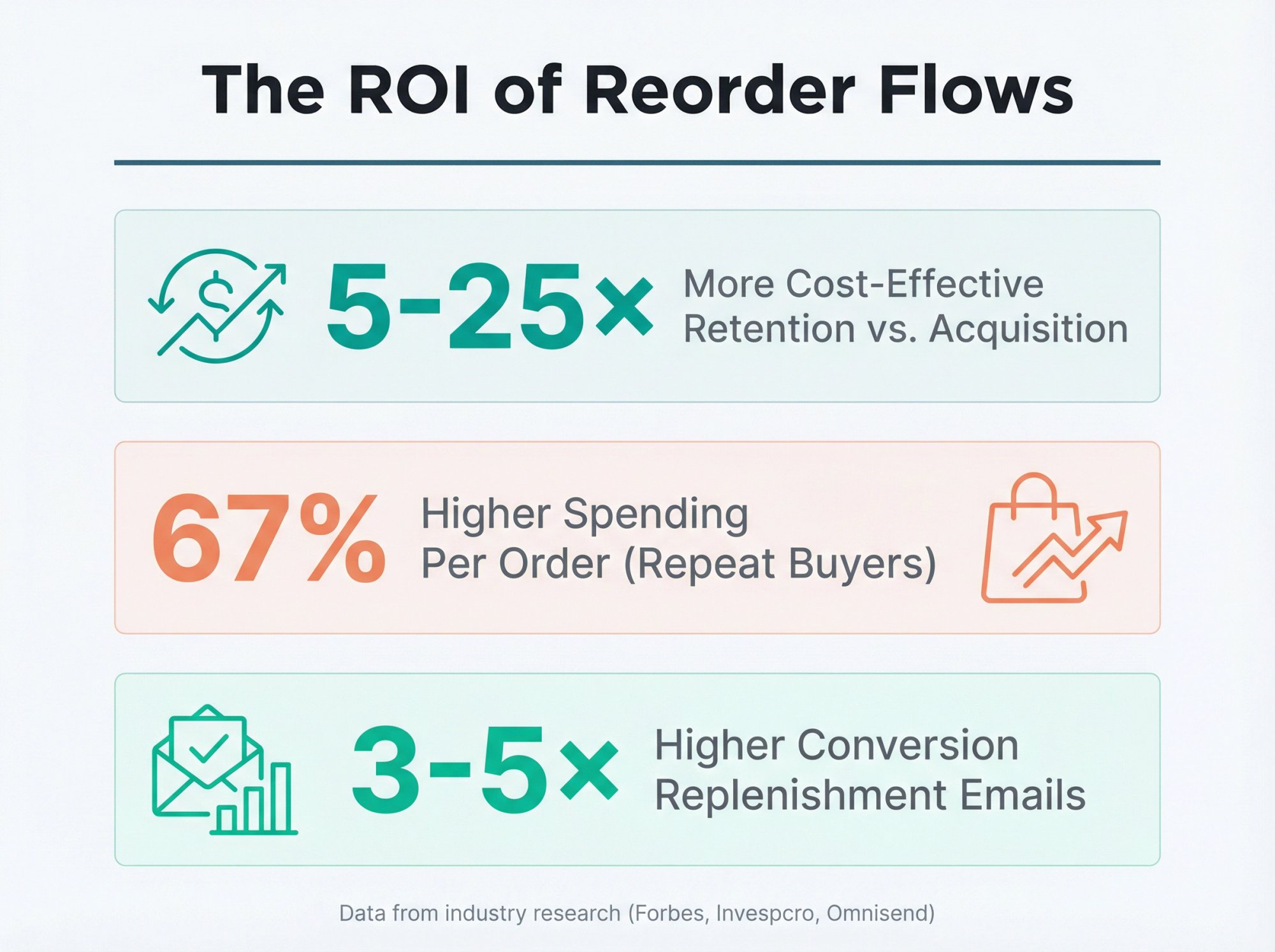
The math is brutal but clear. Acquiring a new customer costs anywhere from 5 to 25 times more than keeping an existing one. And if you can boost customer retention by just 5%, your profits can jump by around 75% according to research from Bain & Company. Repeat customers also tend to spend about 67% more per order than first-time buyers.
So why aren’t more stores focused on repeat purchases? Because the most obvious solution (subscriptions) doesn’t work for everyone. Lots of customers love your product but hate the idea of being locked into automatic shipments. They want to reorder on their own schedule, not yours.
That’s where a subscription reorder flow comes in. It’s a way to get customers buying again and again without forcing them into a subscription commitment. You’re making it easy for them to repurchase when they’re ready, not auto-billing them and hoping they don’t notice.
Why Customers Avoid Subscriptions (But Still Want to Buy Again)
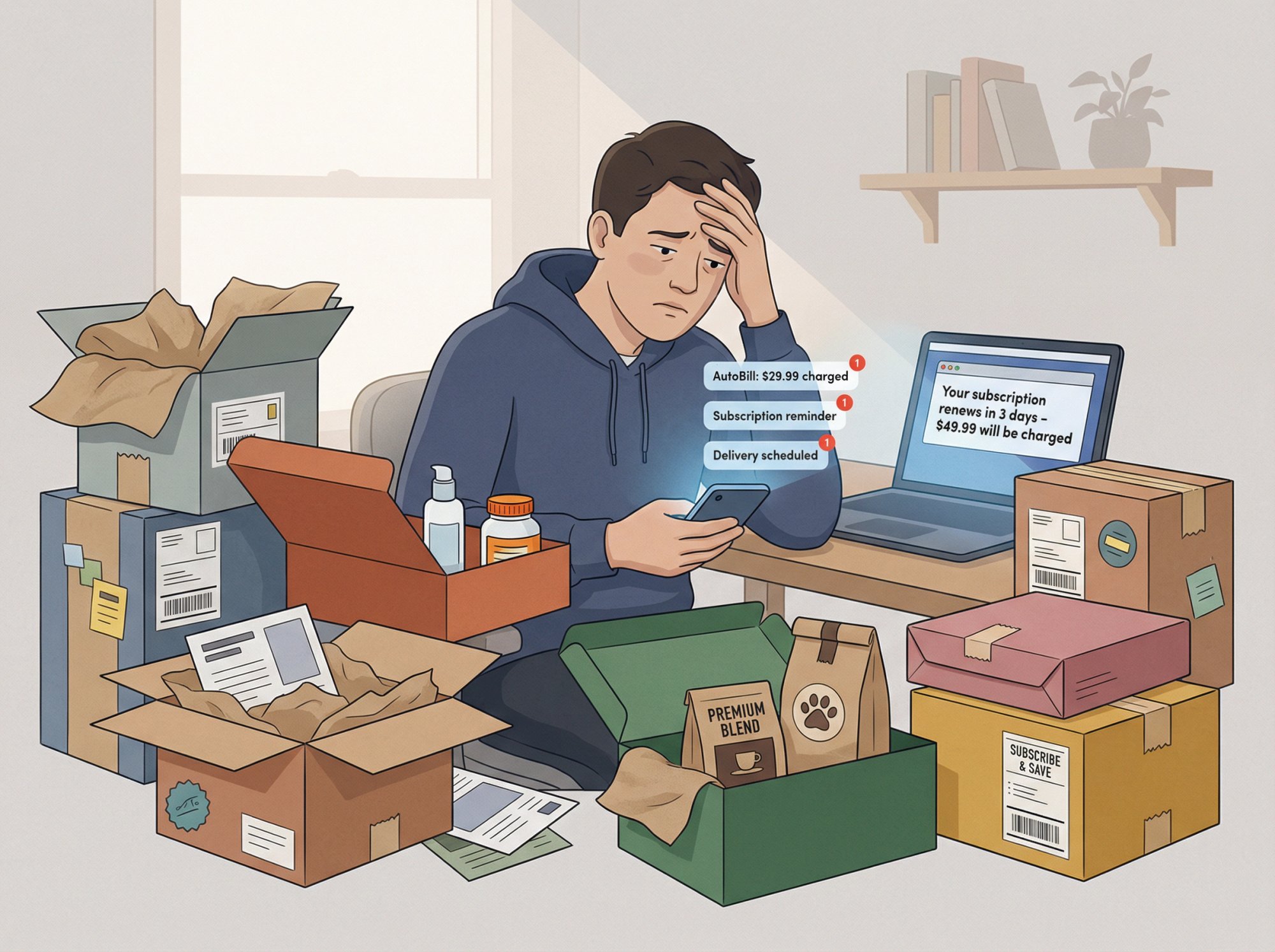
Subscription fatigue is real. Consumers are getting tired of auto-billing surprises and products showing up whether they need them or not. Research from Forrester found that automatic renewals and unexpected charges are among the top things people hate about subscriptions.
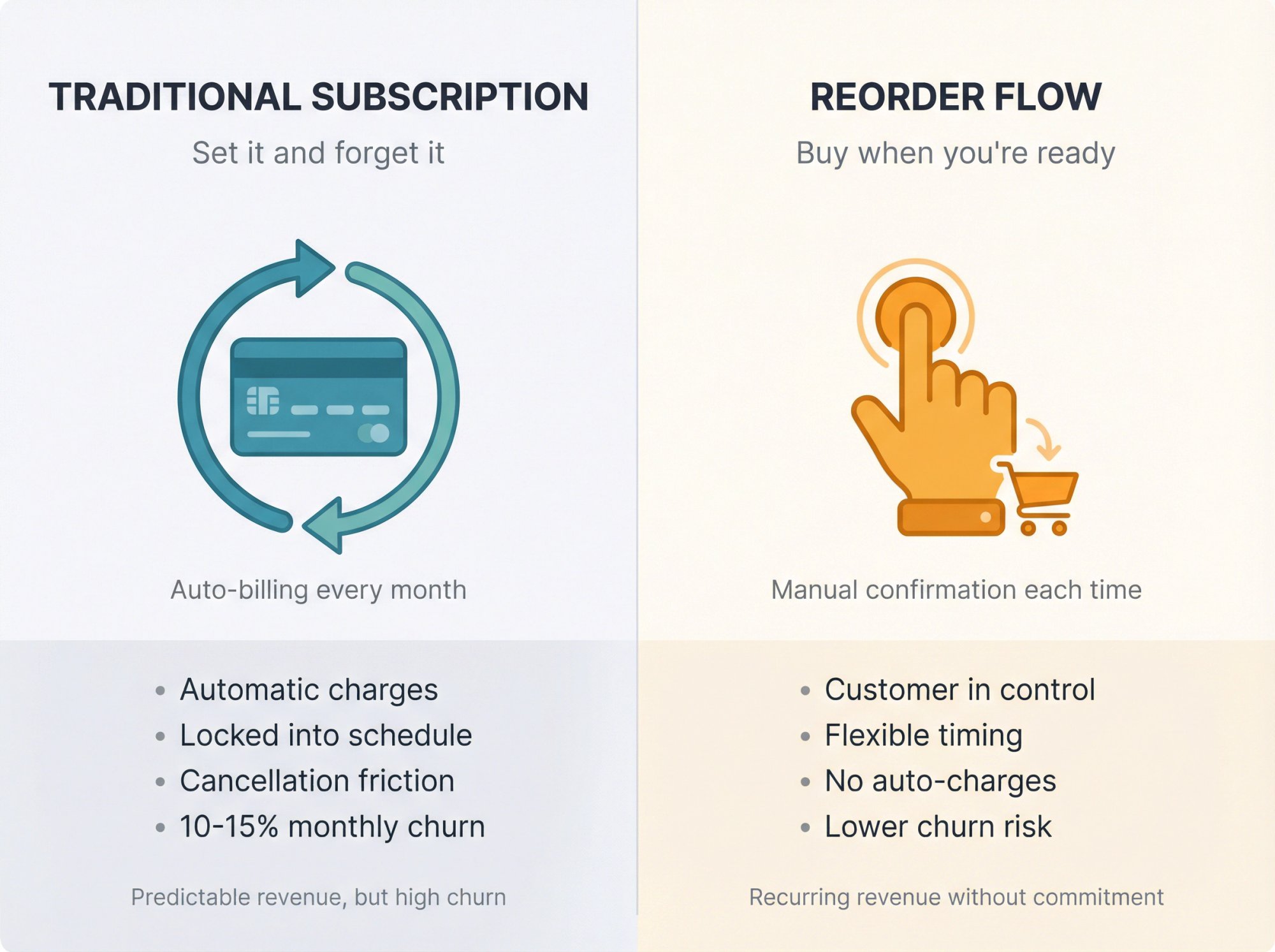
The numbers back this up. In 2023, subscription e-commerce growth hit its lowest rate on record, partly because of inflation and subscription fatigue cooling consumer appetite. For those who do subscribe, churn is high. E-commerce subscription programs (like monthly boxes) see an average of 10 to 15% of subscribers cancel each month.
But just because someone doesn’t want a subscription doesn’t mean they won’t buy from you again. Many customers would happily rebuy if you made it convenient and reminded them at the right time. They just don’t want to be on autopilot.
What Is a Subscription Reorder Flow? (vs Traditional Subscriptions)
Let’s break down the difference between these two approaches to repeat purchases:
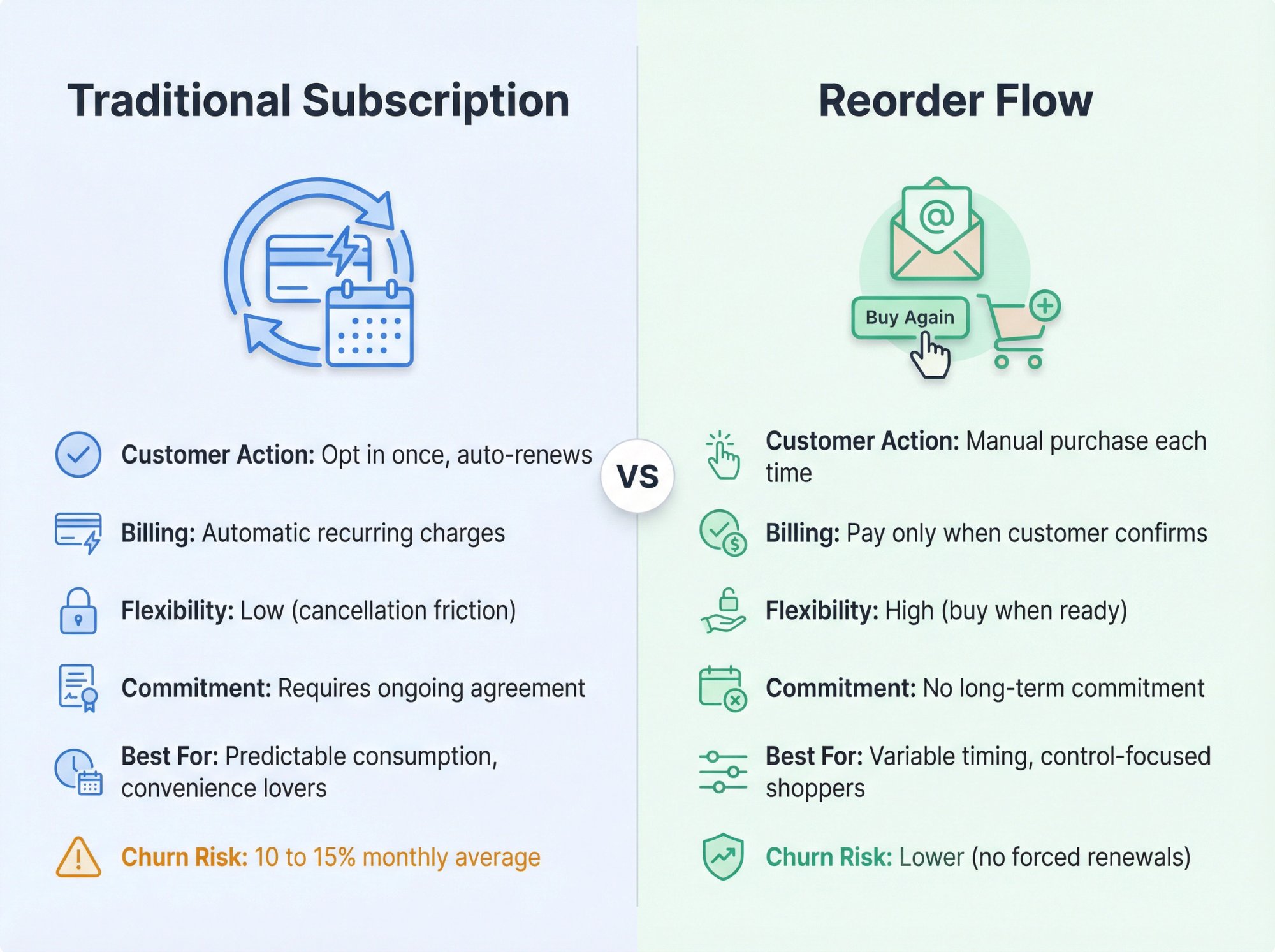
Traditional Subscription: The customer opts in once and gets automatically charged and shipped product at a set interval (monthly, quarterly, etc.). This guarantees recurring revenue if they stay subscribed. It’s convenient for customers, but they’re locked in. They often expect a discount (the classic “subscribe and save” offer), and if they encounter friction trying to cancel or skip, they’ll churn. Subscriptions work best for products with steady, predictable consumption and for customers who value convenience over control.
Reorder Flow (Replenishment Flow): You remind or enable the customer to reorder at the right time, but the purchase is still manually confirmed by the customer. There’s no auto-charge. Essentially, it’s a lifecycle marketing sequence that nudges the customer when they’re likely running low (via email, text, etc.) with a quick path to repurchase. The customer remains in control and only buys again when they choose to.
| Feature | Traditional Subscription | Reorder Flow |
|---|---|---|
| Customer Action | Opt in once, auto-renews | Manual purchase each time |
| Billing | Automatic recurring charges | Pay only when customer confirms |
| Flexibility | Low (cancellation friction) | High (buy when ready) |
| Commitment | Requires ongoing agreement | No long-term commitment |
| Best For | Predictable consumption, convenience lovers | Variable timing, control-focused shoppers |
| Churn Risk | 10 to 15% monthly average | Lower (no forced renewals) |
Why choose a reorder flow? You capture many of the benefits of subscriptions (recurring purchases, higher lifetime value) without alienating the customers who hate subscriptions. And these flows perform exceptionally well.
How to Build a Reorder Flow That Actually Works
Setting up a reorder flow involves coordination across timing, messaging, and technology. Here’s how to set up a system that gets customers buying again at exactly the right moment.
Step 1: Identify Which Products Need Reorder Reminders
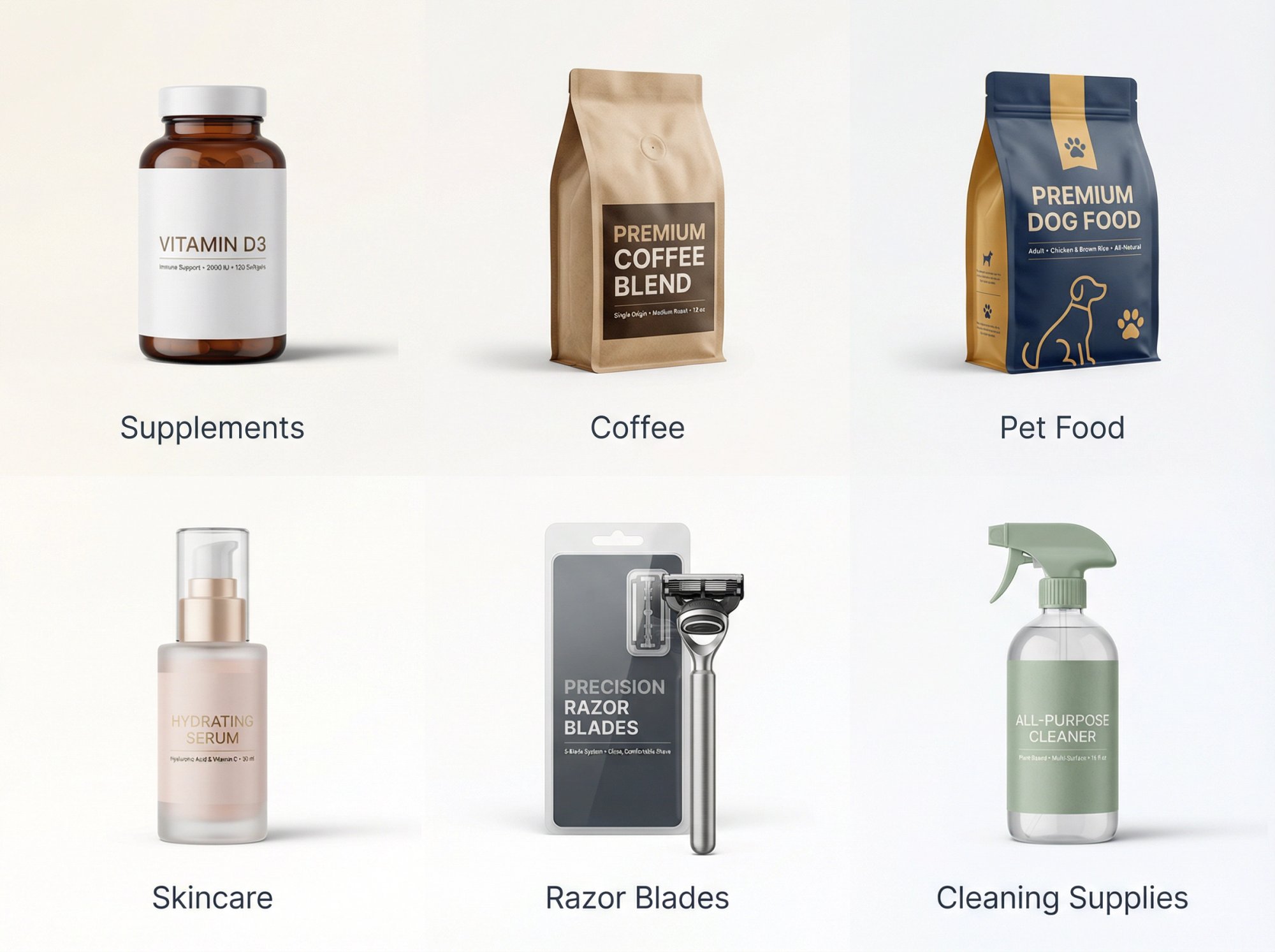
Start by figuring out which products make sense for reordering. Typically, these are consumables or wear-out items that customers need to replenish regularly:
• Supplements
• Coffee
• Pet food
• Skincare
• Razor blades
• Cleaning supplies
Look at your order history to determine the typical repurchase interval for each product. If a product is a 30-day supply, many customers might rebuy around 30 days later. Your e-commerce platform or CRM can show you the average time between orders for a given SKU. If you don’t have enough data yet, use the product’s expected usage cycle (a month’s worth of coffee, a 90-day supply of vitamins, etc.).
This data will tell you when to trigger your reminders. Get this timing right and you’ll catch customers when they actually need the product. Get it wrong and you’ll annoy them with irrelevant emails.
Step 2: Choose Your Reminder Channels (Email, SMS, or Both)
| Channel | Strengths | Considerations |
|---|---|---|
| Affordable, scalable, highly personalizable | Requires automation tool (Klaviyo, Omnisend, Drip) | |
| SMS | 95%+ open rates, immediate, high urgency | Needs explicit consent, higher cost per message |
| Multi-Channel | Best coverage, multiple touchpoints | Coordinate timing to avoid bombardment |
Email is the most common channel for reorder flows. It’s affordable, scalable, and can be highly personalized. You’ll need an email automation tool like Klaviyo, Omnisend, or Drip that supports triggered flows.
SMS can be extremely effective due to its immediacy and high open rates (95%+), especially for urgent-use products or younger demographics. But you need explicit consent and it costs more per message. SMS marketing platforms like Postscript or Attentive work well here.
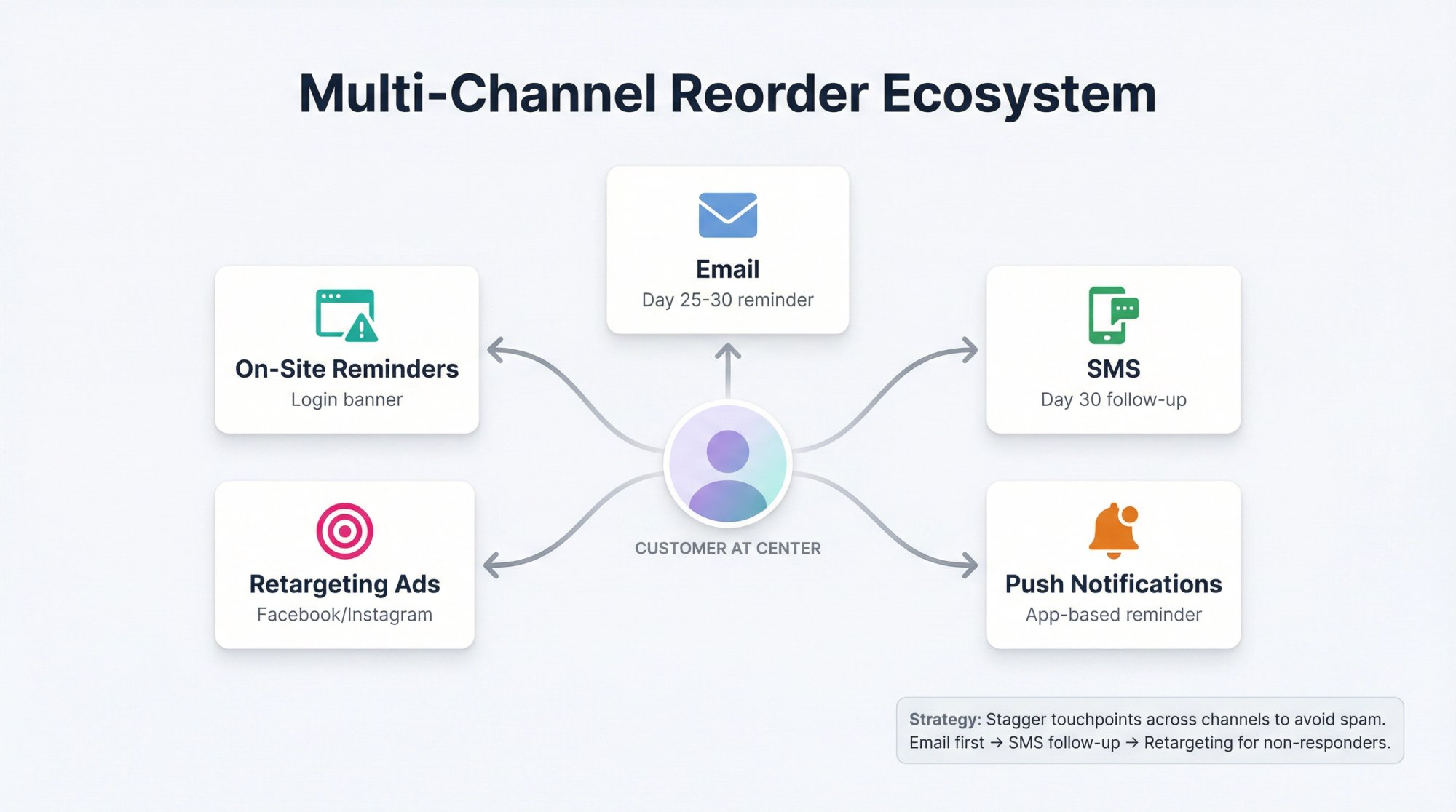
A multi-channel approach can be powerful. For example, send an email at 25 days and a follow-up text at 30 days for those who haven’t reordered yet. Just don’t bombard people across every channel on the same day or you’ll annoy them.
Step 3: How to Set Up Automated Triggers Based on Purchase Timing
Use your email or SMS platform’s flow automation to trigger a sequence after a purchase. Most platforms let you create a flow that starts when someone places an order for a specific product or category.
For Shopify stores, this usually means setting up a flow triggered by the “Placed Order” event, filtered to the products you want to create a replenishment cycle for. If your platform has a pre-built “Replenishment” flow template, use that as a starting point.
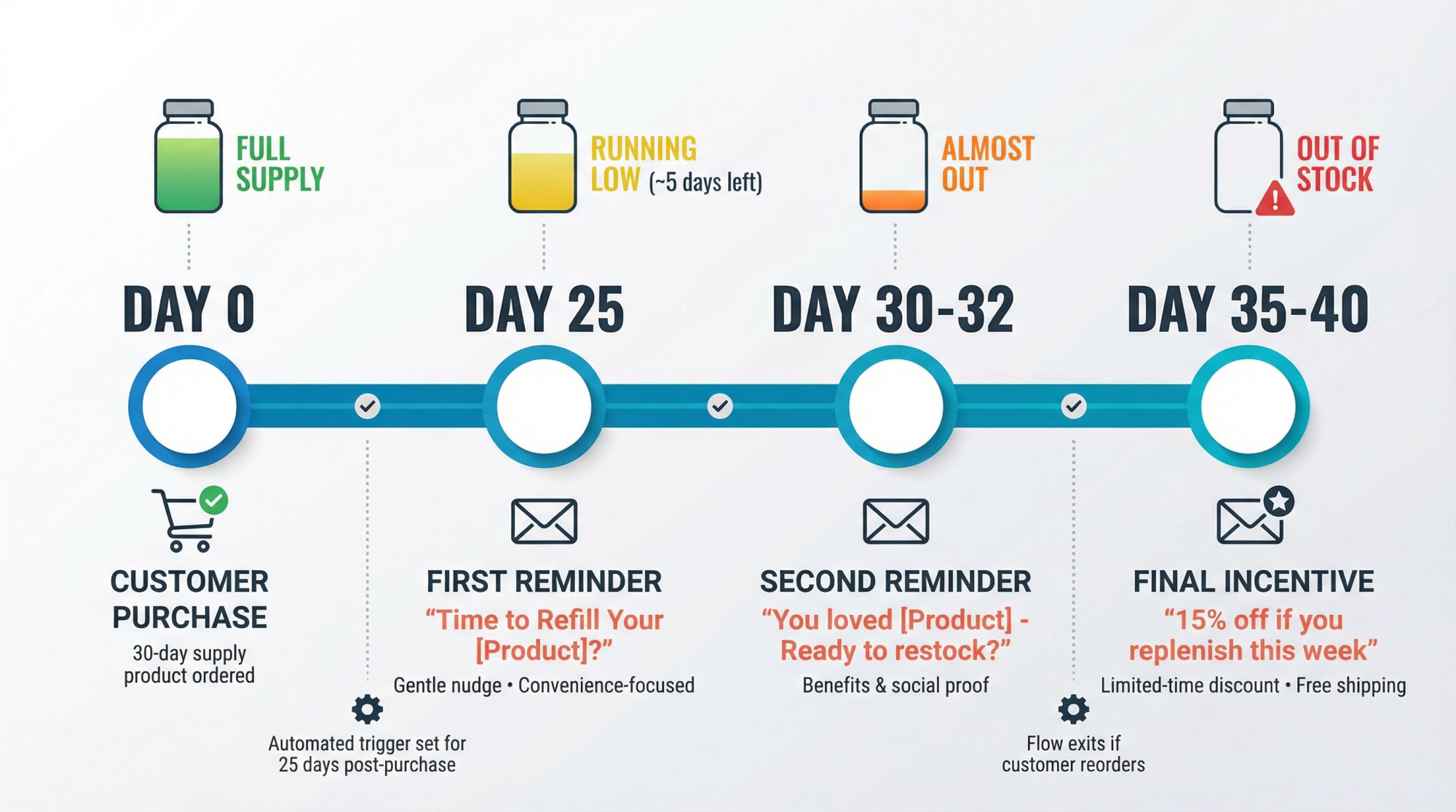
The key is setting a time delay that matches just before the product is likely to run out. For a 30-day supply product, you might send the first reorder email around 25 days after purchase. That way, you catch the customer when they probably have a few days of product left (the need is imminent but not yet urgent).
Make sure your flow exits customers who reorder in the meantime. You don’t want to keep emailing someone who already bought again. Most automation tools have conditional splits or filters for this.
Step 4: Design Your Reminder Sequence
Best practice is usually two gentle reminders, then a last-chance message with an incentive:
① First Reminder (Day 25 in our 30-day example)
A friendly nudge that it might be time to restock. Keep it convenience-oriented, not pushy.
Subject line example: “Time to Refill Your [Product]?”
② Second Reminder (Day 30 to 32)
If they haven’t acted, send a follow-up. Maybe highlight the product’s benefits or include customer reviews to reinforce why they bought it in the first place.
③ Final Follow-Up with Incentive (Day 35 to 40)
If the customer still hasn’t repurchased and the consumption period has passed, send one more message with a special incentive (limited-time discount, free shipping, etc.).
Example: “We don’t want you to run out! Here’s 15% off if you replenish this week.”
After this, if they still don’t buy, roll them into a longer-term win-back campaign. Don’t keep pestering them endlessly or you’ll drive unsubscribes.
Step 5: Create Frictionless One-Click Reorder Links
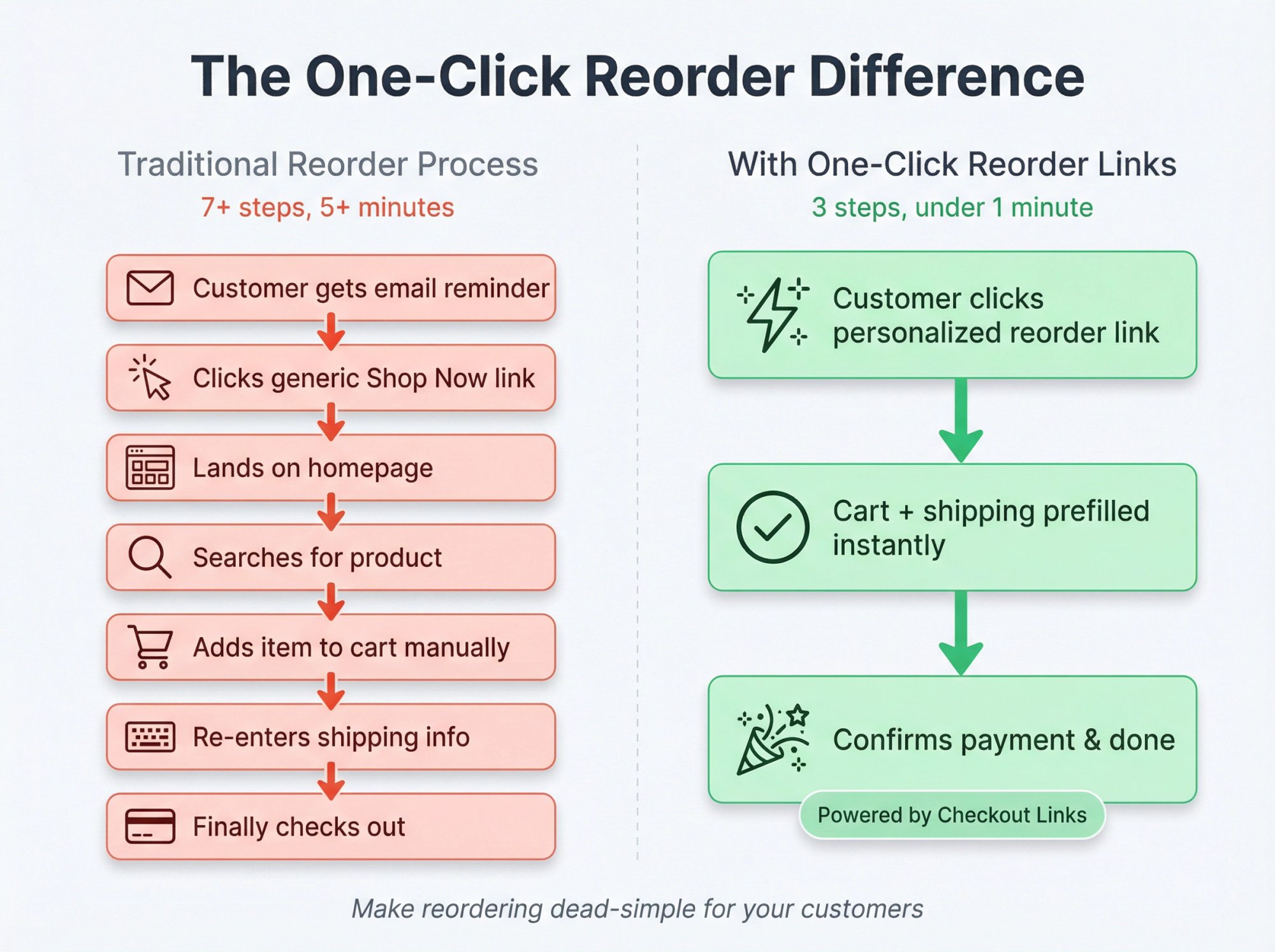
This is the most important part. Make it dead-simple for the customer to complete the repurchase.
The best reorder flows include a direct link or button that instantly refills their cart with the items from their last order. The customer shouldn’t have to search your site or remember what they bought. One click and they’re at checkout with the item already added, ready to pay.
How to Build Reorder Links
| Method | Complexity | Best For | Key Features |
|---|---|---|---|
| Cart Permalink URLs | Medium | Technical teams with dev resources | Dynamic URLs via liquid code in email platforms |
| Checkout Links | Low | Non-technical teams, rapid deployment | One-click setup, Customer Reorder feature, prefilled cart + shipping |
| On-Site Reorder Buttons | Low | Customer account experiences | “Buy Again” in order history |
Option 1: Cart Permalink URLs
Shopify (and most platforms) support cart links that specify products. You can dynamically insert the last order’s items into a URL using variant IDs and quantities. Email platforms like Drip and Klaviyo can use liquid code to build these automatically. When the customer clicks the link in the email, they’ll be redirected to a cart full of the same items from their previous order. From there, they just proceed to checkout.
Option 2: Use Checkout Links
If you don’t want to hand-code cart URLs, Checkout Links makes this incredibly easy. It’s a Built for Shopify app that won a 2025 Shopify Build Award and lets you create smart URLs for pre-configured purchases.
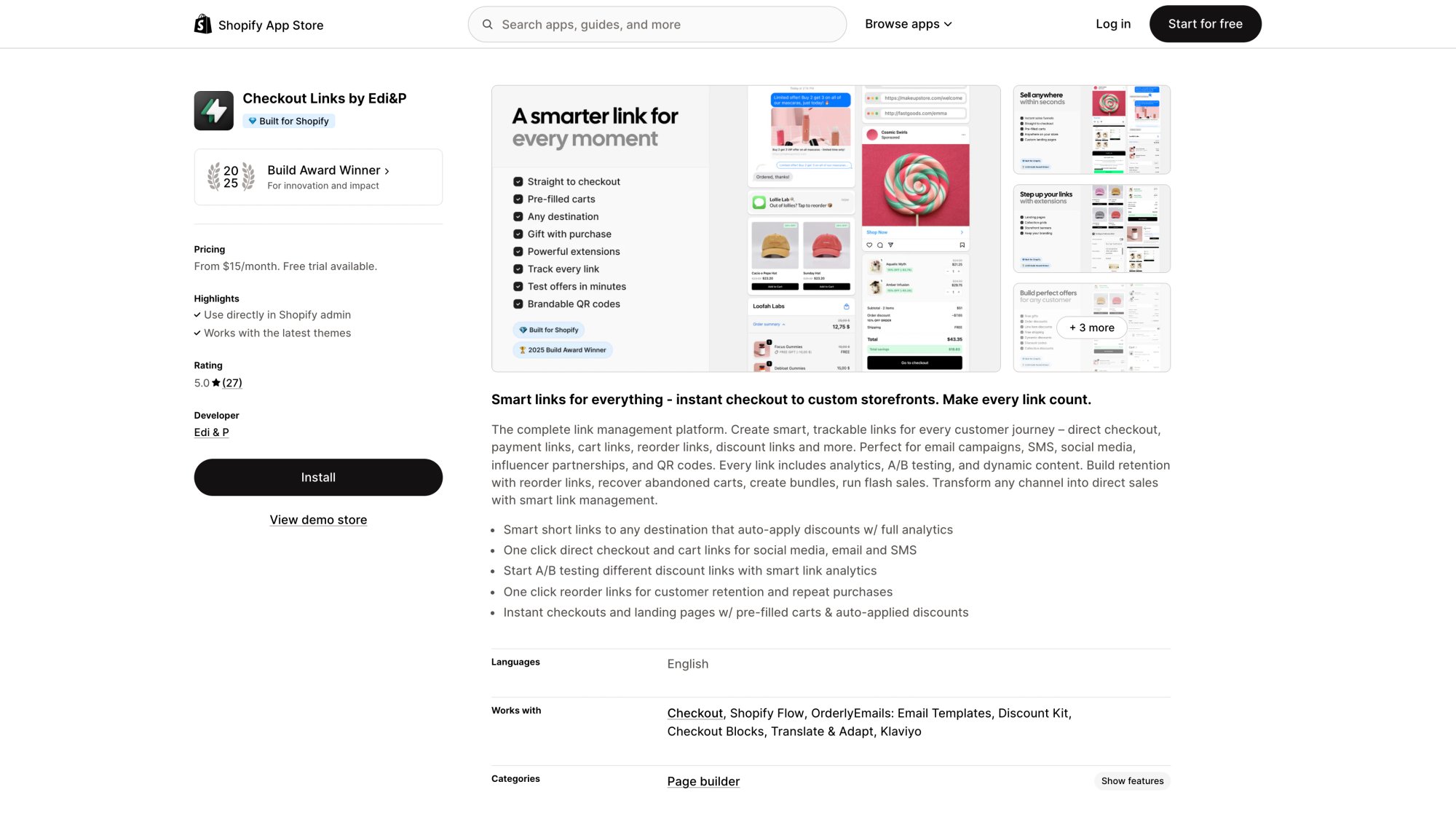
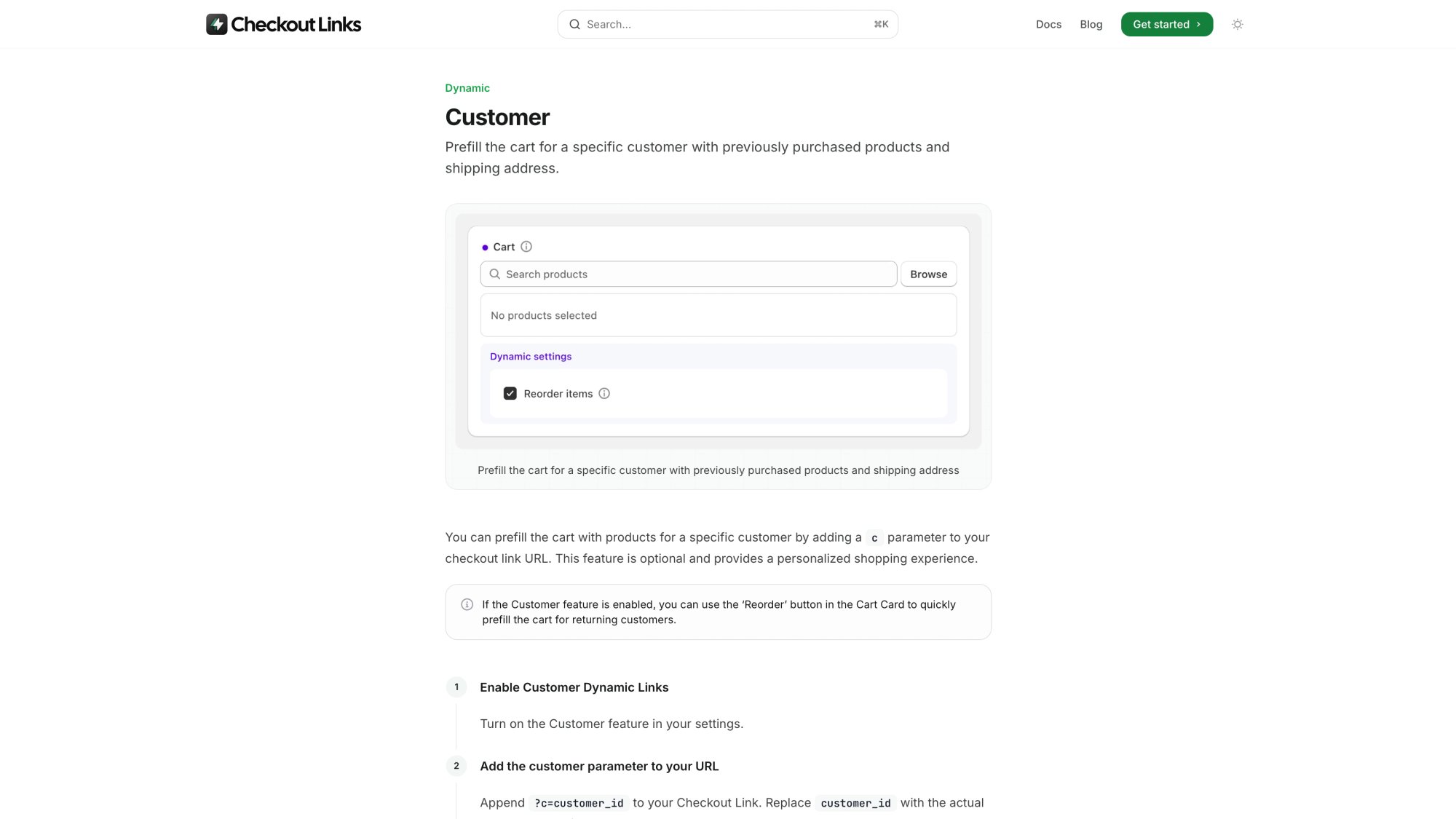
For reorder flows specifically, Checkout Links has a Customer Reorder feature. You can generate personalized reorder links using a dynamic parameter. When a returning customer clicks this link, Checkout Links prefills the cart with their previous purchases and can even prefill their shipping address to speed up checkout. It’s truly one-click: they land on a checkout page with everything ready, just needing to confirm payment.
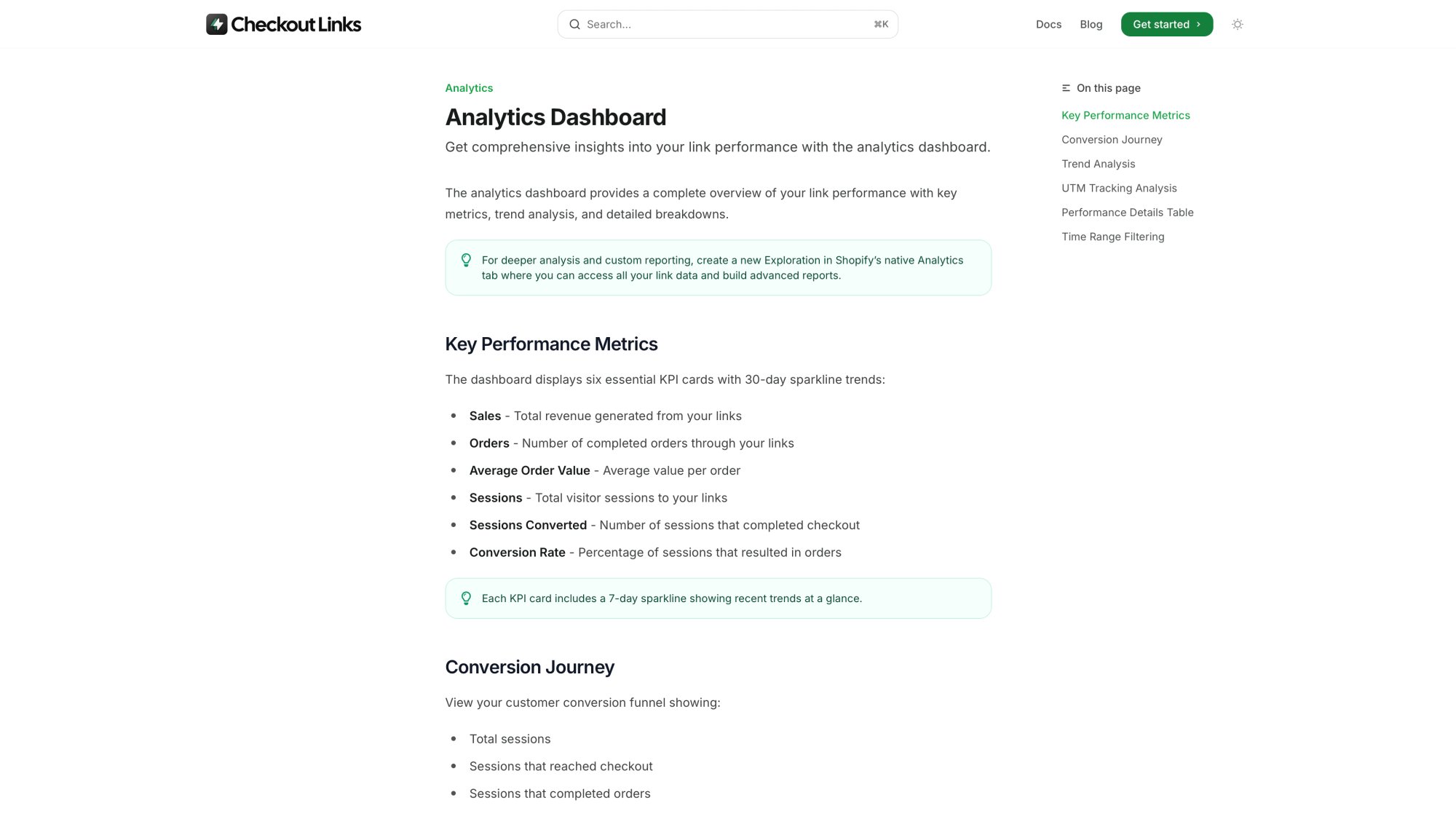
You can attach these links to your reminder emails, include them in SMS messages, or even generate QR codes for packaging inserts. Checkout Links also tracks all the analytics natively in Shopify via its Analytics Dashboard, so you can see exactly which reorder campaigns are driving revenue.
At just $25/month with a 7-day trial, it’s a no-brainer compared to the engineering time you’d spend building and maintaining custom cart URLs.
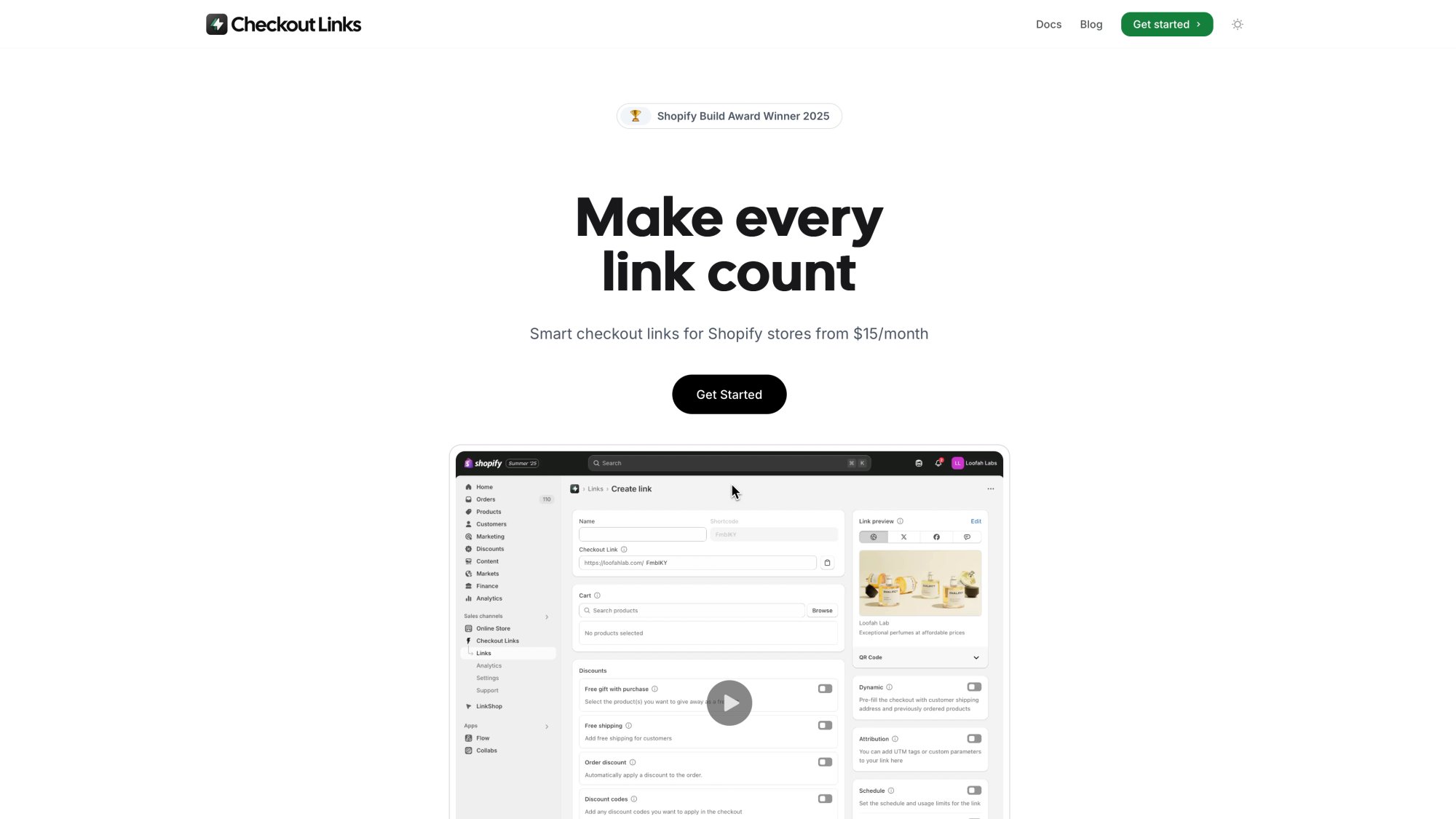
The Checkout Links homepage showcases the platform’s core value proposition: making every link count for Shopify merchants.
Option 3: On-Site “Reorder” Buttons
Make sure your site’s UX helps returning customers too. If you have customer accounts, add a “Reorder” or “Buy Again” button in their order history so they can one-click re-add past items to cart. Some apps add this automatically.
The easier you make it, the higher your conversion. Remember, the customer already likes the product. This is about removing any friction between them and the repurchase.
Convenience is king for reorders.
Step 6: Personalize Your Messaging
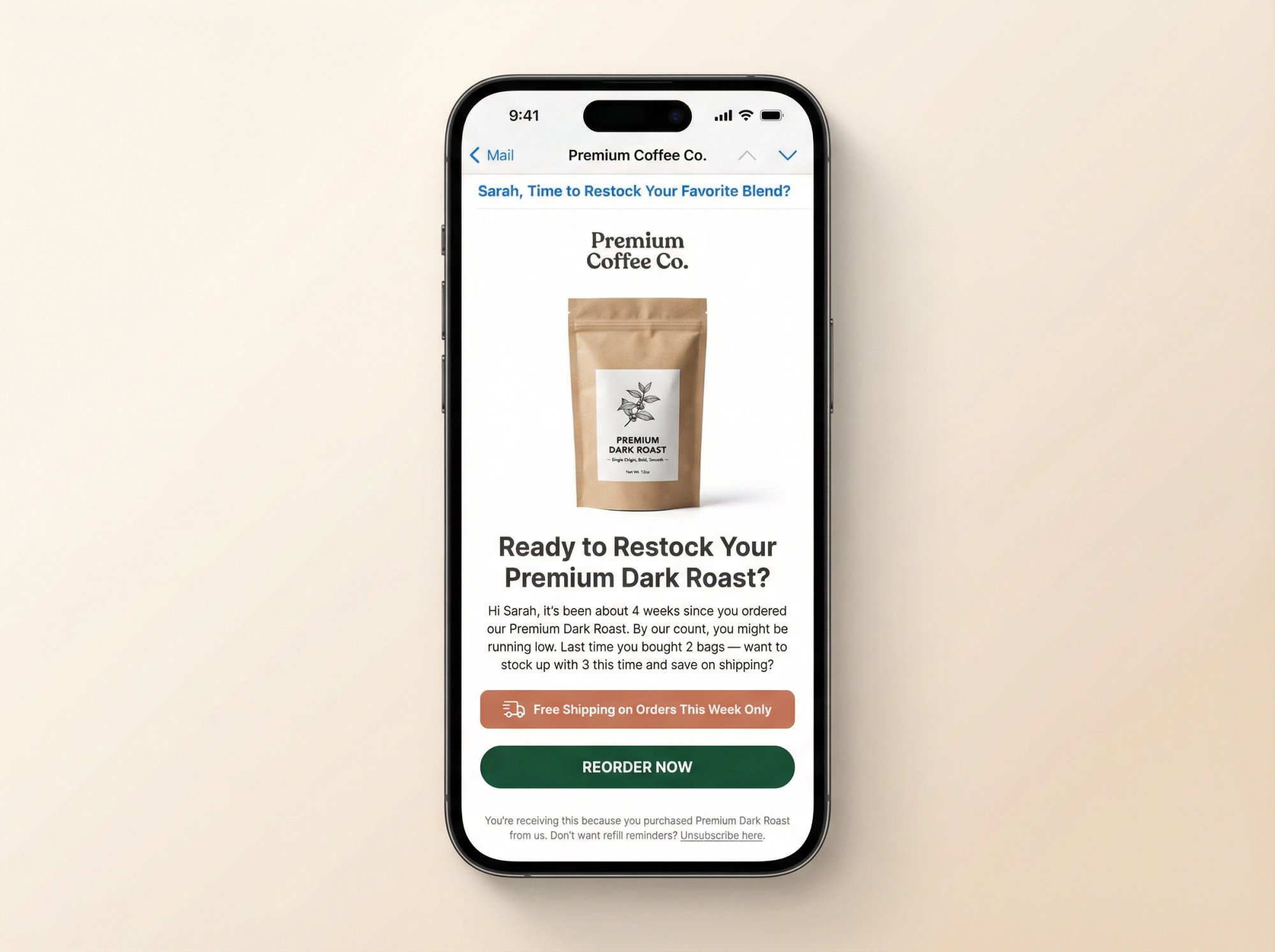
In your reminder emails, be specific. Mention the product name (“Ready to restock your Premium Coffee Blend?”) and include a photo. This jogs the memory and reinforces the urge to reorder.
You can also reference their experience: “Hope you’re enjoying your new skincare routine! By our count, you might be running low…” Personal touches like this show the email isn’t a generic blast. It’s directly relevant to their purchase.
If you have data on their usage (like quantity bought last time), use it. The reorder link could pre-load the same quantity, or you might suggest an upsell: “Last time you bought 2 bags. Want to stock up with 3 this time and save on shipping?”
Step 7: Add Strategic Incentives (Without Training Coupon Dependency)
While you don’t want customers to only buy with a discount, a well-timed incentive can boost conversion for hesitant buyers. Common approaches:
→ Subscribe-Like Discount
Offer the same discount they’d get on subscription for doing a manual reorder. “Reorder now and get 10% off, just like our subscribers do, no strings attached!”
→ Free Shipping or Gift
Provide free shipping on the repeat purchase, or a small free bonus item. “Reorder within 7 days and we’ll throw in a free sample.”
→ Loyalty Points
If you have a loyalty program, remind them that a repeat purchase earns points, or give bonus points for reordering within a timeframe.
Use these incentives sparingly, ideally for later follow-ups or for customers who haven’t bought again after a long time. You don’t want to train people to wait for coupons. But when used as a nudge at the right moment, a small incentive can tip a hesitant customer into a purchase.
Step 8: Test, Measure, and Optimize
Once your flow is live, monitor performance closely.
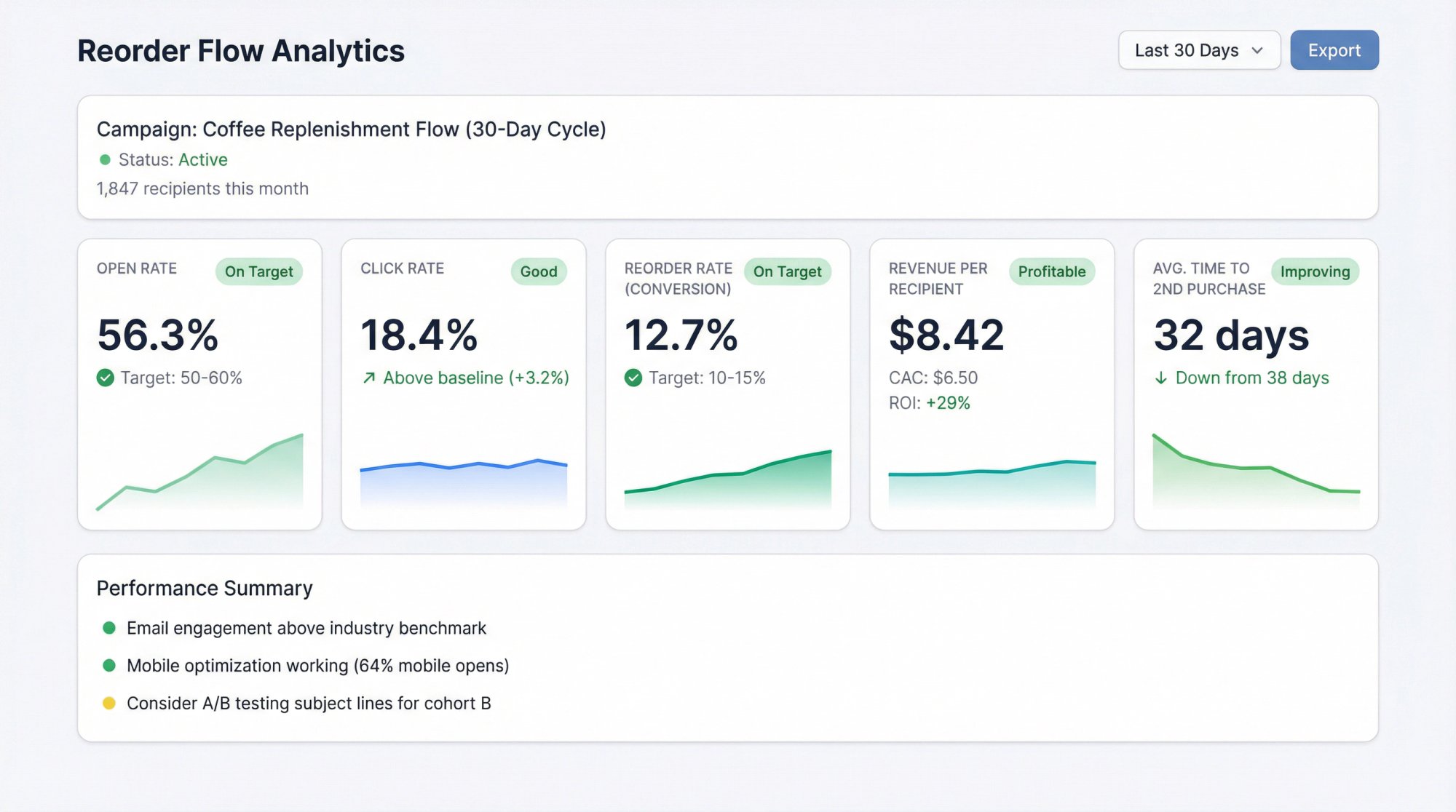
| Metric | What It Tells You | Typical Benchmark |
|---|---|---|
| Open Rate | Are emails getting seen? | 50-60% for replenishment |
| Click Rate | Are CTAs compelling? | Monitor relative to your baseline |
| Reorder Rate | % of recipients who repurchased | 10-15% target |
| Revenue per Recipient | Campaign profitability | Track against acquisition cost |
| Time to Second Purchase | Flow timing effectiveness | Should decrease over time |
If open rates are low, experiment with subject lines. Try being very clear about what the email is: “Time to Refill Your Vitamins?” or add urgency: “Don’t Run Out of [Product]!”
If clicks are high but conversions are low, the landing experience needs work. Make sure the reorder link works correctly on all devices and the checkout process is smooth. Test it yourself on mobile.
Also gather qualitative feedback. If customers reply saying “I still have plenty left,” your timing might be too soon for that item. Adjust the delays accordingly.
How Checkout Links Makes Reorder Flows Simple
Building and maintaining custom reorder links for every product and customer can get complicated fast. You’re dealing with variant IDs, quantities, URL parameters, email merge tags, and making sure everything syncs correctly with your e-commerce platform.
That’s where Checkout Links becomes invaluable for Shopify stores.
What It Does:
Checkout Links creates smart URLs directing shoppers to a pre-configured purchase flow. Each link can prefill carts, apply order discounts or free gifts, enforce usage limits or passcodes, personalize for a customer, and attribute revenue in native Shopify analytics.
For Reorder Flows Specifically:
The Customer Reorder feature is designed exactly for this use case. You create a reorder link template, and when a customer clicks it, the app uses a customer ID parameter to:
- Automatically pull their previous purchases into the cart
- Prefill their shipping address (so they don’t have to re-enter it)
- Send them directly to checkout, ready to complete the order You can embed these links in your email flows (Klaviyo, Omnisend, etc.), include them in SMS campaigns, or even put them in order confirmation emails (“Need a refill? Click here when you’re running low”).
Other Reorder-Relevant Features:
- Abandonment Recovery: Use an abandonment ID parameter to prefill abandoned cart items. Great for combining with reorder flows (if someone abandoned a refill order, send them a link with the items already loaded plus a discount).
- UTM Tracking: Add source, medium, and campaign tags to your links so you can attribute reorder revenue correctly in your analytics.
- Cart Assembly: Dynamically configure what items go into each reorder link with precise quantities. Pricing and ROI:
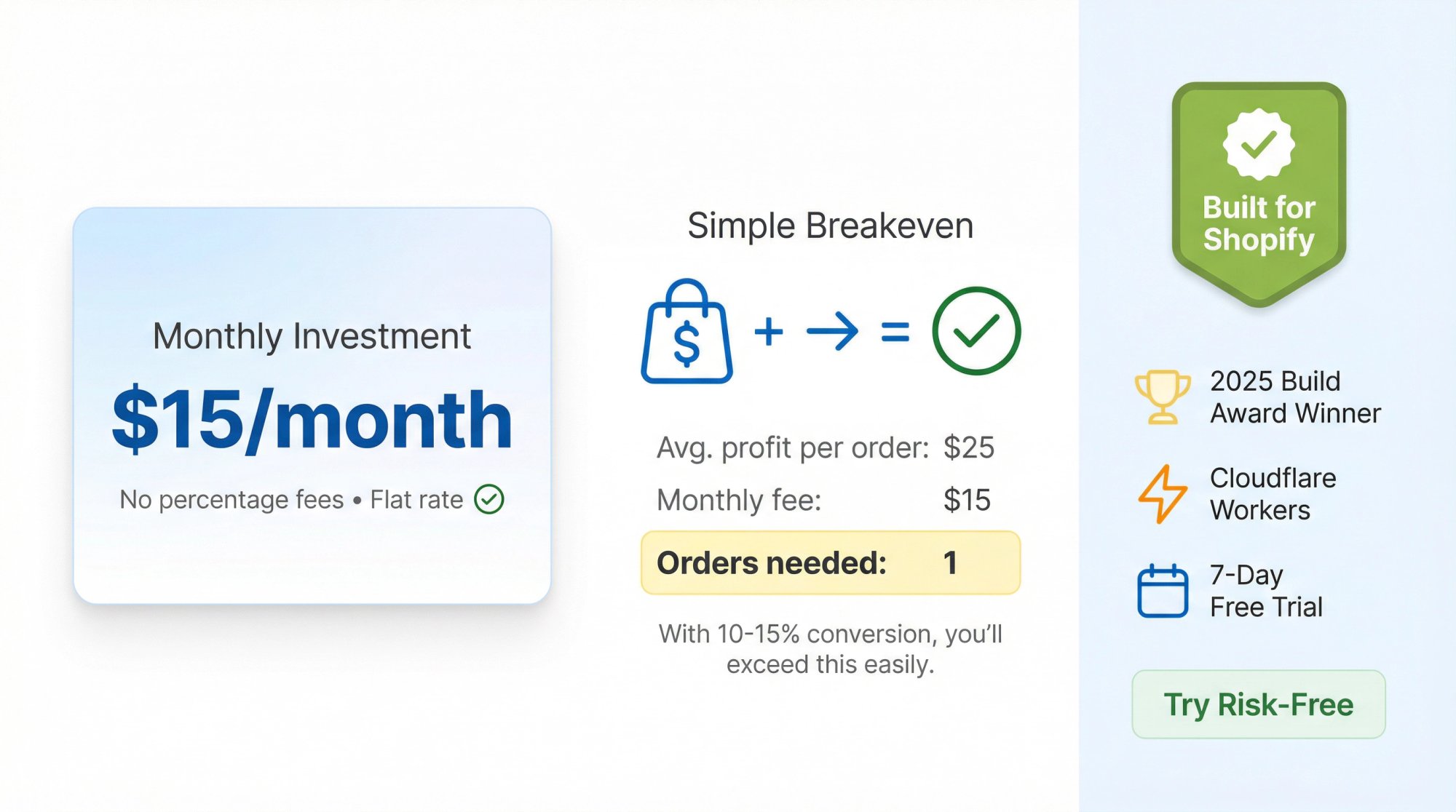
The app costs 25/month flat (no percentage of sales), with a 7-day free trial. If your average gross profit per order is 25, you just need one incremental reorder per month to cover the cost. And with replenishment emails converting at 10 to 15%, you’ll easily exceed that.
The app carries the Built for Shopify badge, and is built on modern infrastructure (Cloudflare Workers for edge performance) to ensure fast, reliable link experiences globally.
Try it free for 7 days and see how much easier reorder flows become when you don’t have to manually code every cart URL.
What Your Reorder Emails Should Say (Best Practices)
Now let’s talk about the content of your reminder emails. What they should say and how they should look to maximize engagement.
Nail the Subject Line
The subject should clearly convey that this is about a product they bought. Examples that perform well include:
• “Time to Refill Your [Product]?”
• “Running low on [Product]?”
• “Ready for a Top-Up?”
• “[Name], replenish your stock of [Product]”
Avoid generic marketing language. Personalization helps. If you’re offering an incentive, you can tease it: “Get 10% off your next [Product] refill.”
Keep it short and clear. Many people will see it on mobile first.
Use Visual Cues and Product Images
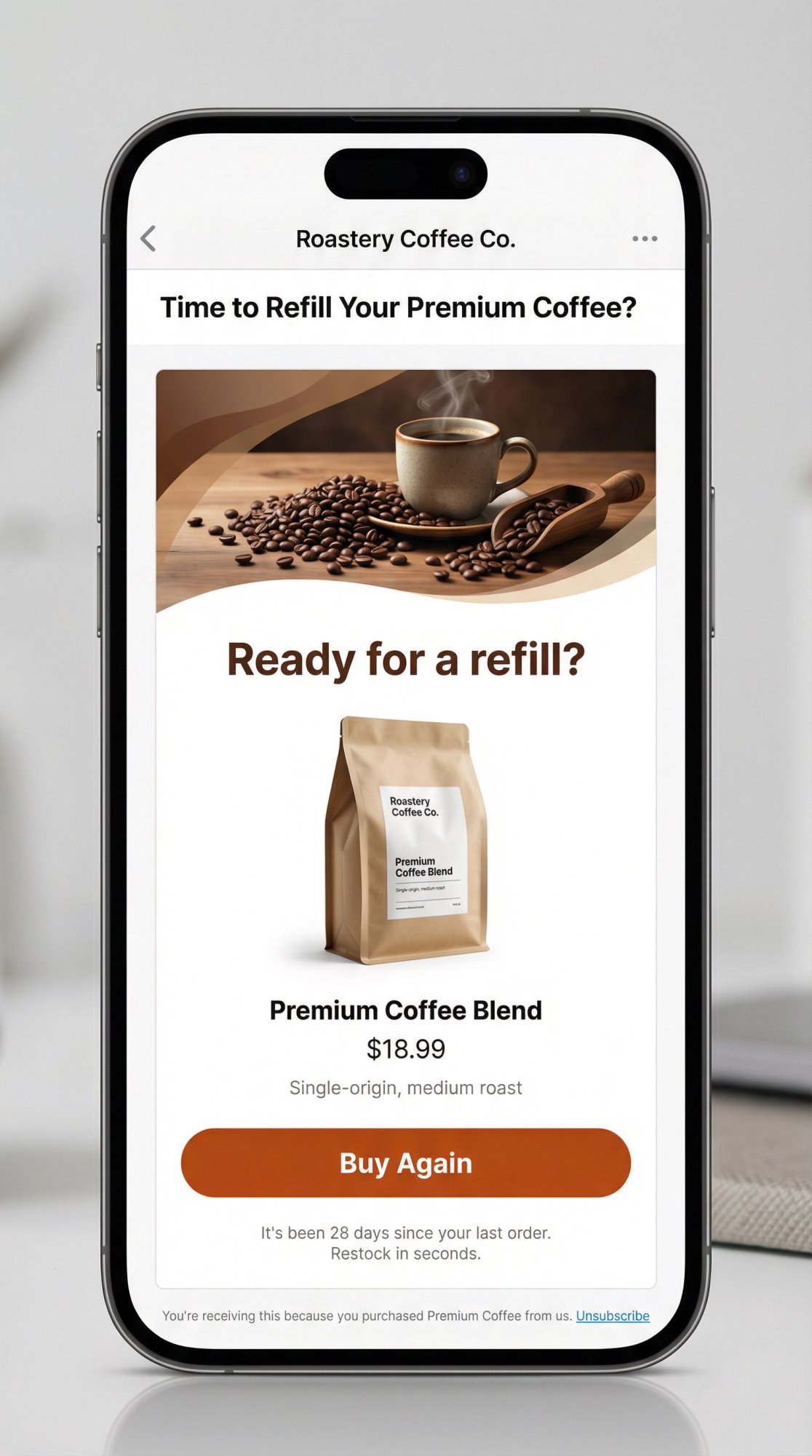
In the email body, include an image of the product (or their last order). A headline like “Ready for a refill?” or “Don’t run out!” can create urgency without being pushy.
The layout should be simple: header image, product image with name and price, and a bright “Buy Again” CTA button. Clean, easy to scan, laser-focused on that product.
Keep Copy Short and Benefit-Oriented
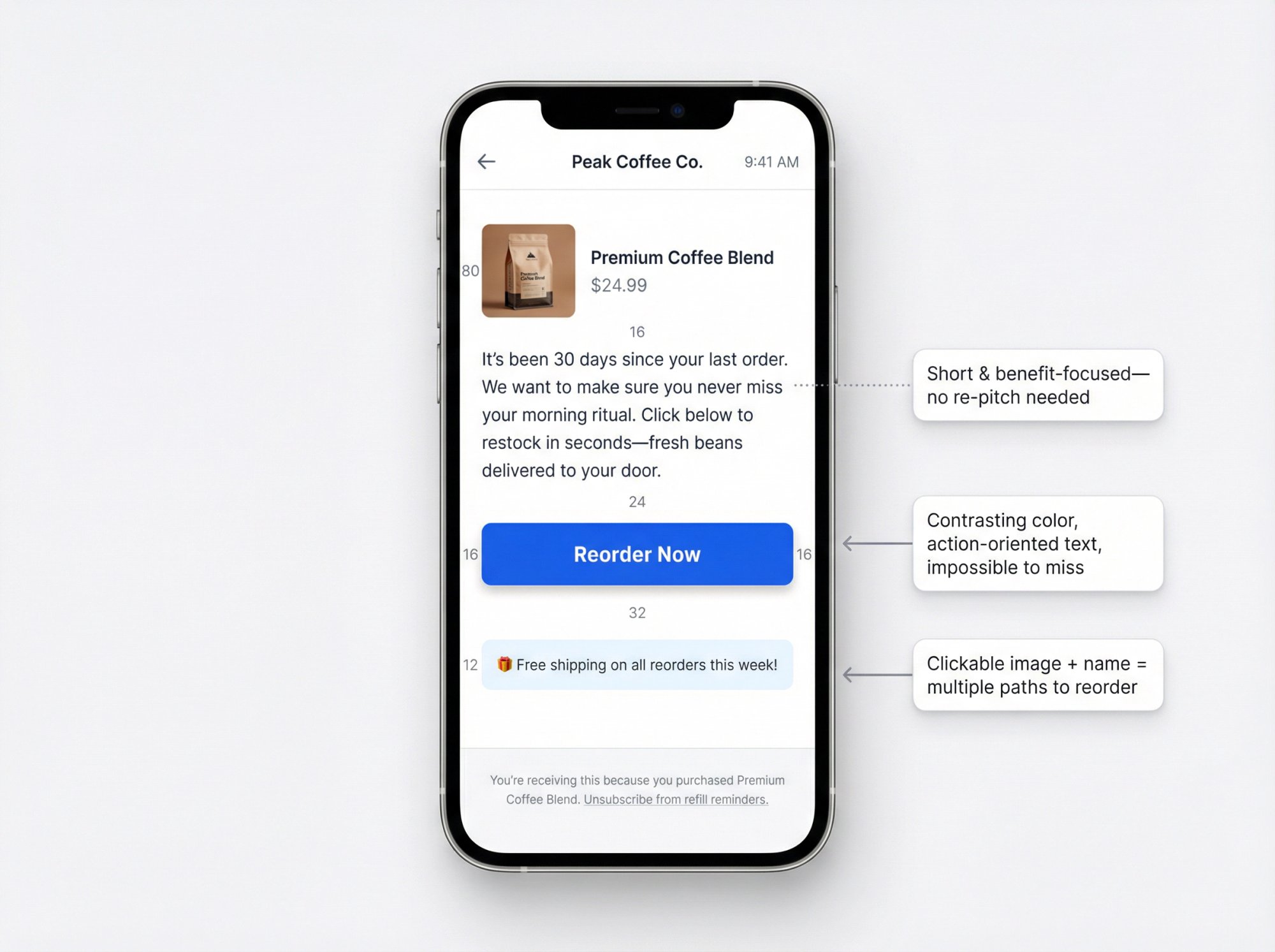
You don’t need to re-pitch the product. They’ve bought it before. Instead, reinforce the decision and focus on convenience:
“It’s been a month since your last purchase of [Product]. We want to make sure you never miss a day of enjoying it. Click below to restock in seconds.”
Add a friendly tone, as if doing them a favor by reminding them. If applicable, mention the benefit of timely reordering: “Stay on track with your routine” or “Avoid running out of your favorite coffee.”
If you’re including an incentive: “As a thank you for being a loyal customer, here’s free shipping on your refill.” Make the offer stand out (bold text or a call-out box).
Overall, less is more. A couple of brief paragraphs plus the product info.
Make the CTA Impossible to Miss
The “Reorder Now” or “Buy Again” button should be prominent. Use a contrasting color that aligns with your brand. Make the button text action-oriented (Buy Again, Reorder Now, Restock My Item).
Also, link the product image and product name to the same reorder URL. Some people will click the image instead of the button.
Personalize with Dynamic Content
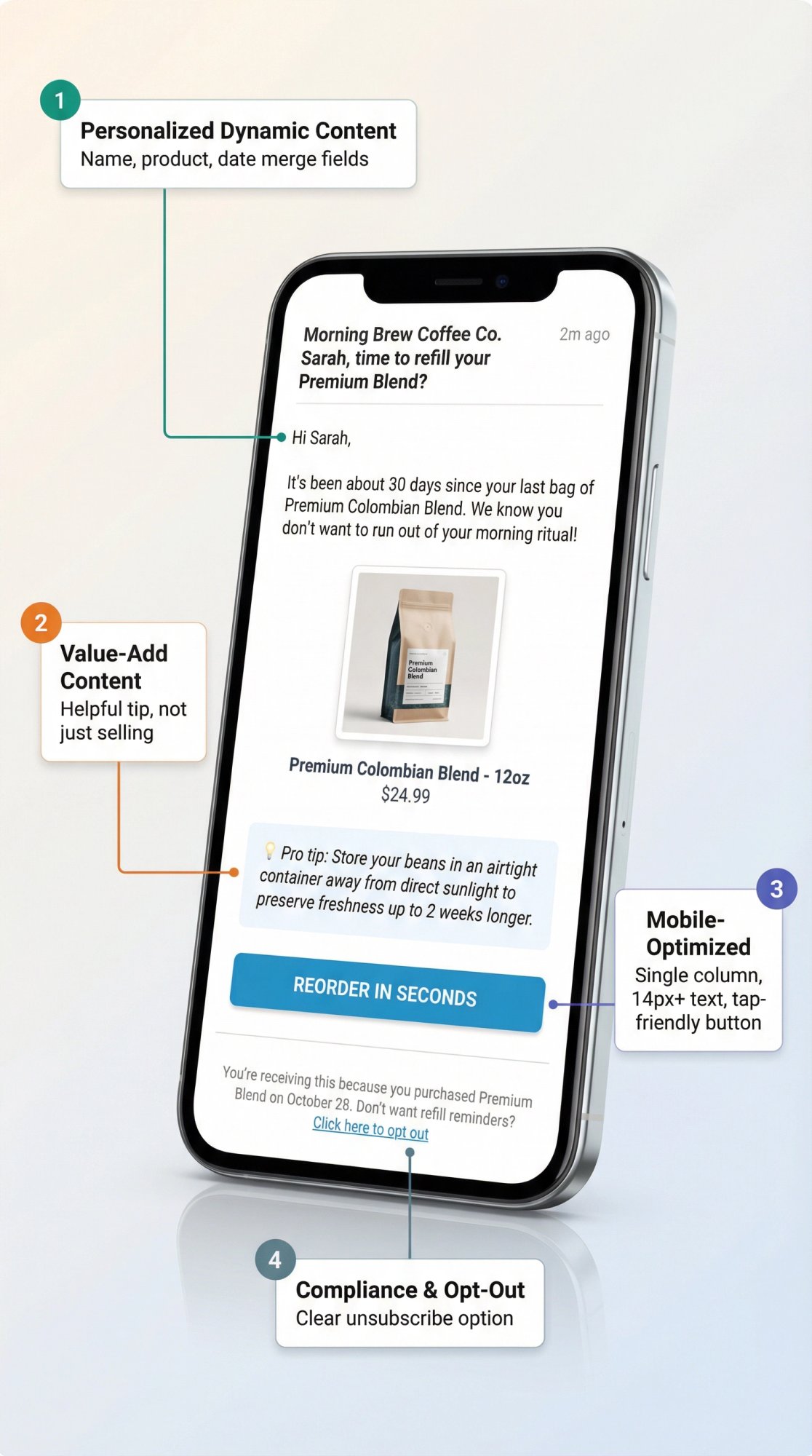
Use merge fields to personalize the item name, size, flavor, etc. Reference their name (“Hi Sarah,”) and even their past experience: “We hope you loved your first bag of our coffee blend.”
You can also pull in data like last purchase date or quantity (“You bought a 60-day supply on September 10”). Use these details only if they make the message more relevant. Don’t over-complicate.
The key: The customer should feel this email was made just for them, not a mass blast.
Add a Touch of Value (Don’t Just Sell)
Including a quick tip or use-case can increase engagement:
“Pro tip: Store your coffee beans in an airtight container to keep them fresh longer.”
Or: “It’s allergy season, make sure you have enough air filters ready.”
This shows you care about their experience, not just the sale. You could also link to a how-to guide, blog post, or community related to the product (especially for supplements or hobby items).
But only do this if it doesn’t distract from the main CTA.
Optimize for Mobile
A huge portion of emails are opened on phones. Use a single-column layout, large fonts (at least 14px for body text, 20px+ for headlines), and big tap-friendly buttons.
Test on your own phone to make sure everything looks good and loads fast. If the whole flow from email open to order completion can happen on a phone in under a minute, you’re in great shape.
Include Compliance and Unsubscribe Options
Even though replenishment emails are about a past purchase, you should still include an unsubscribe link. Let customers opt out of these specific reminders if they want.
Frame it as: “You’re receiving this because you bought [Product] from us. If you don’t want refill reminders, click here.” Better to let them opt out than annoy them.
Beyond Email: SMS, QR Codes, and Multi-Channel Reorder Strategies
Email is the foundation, but don’t overlook other channels:
SMS Reorder Reminders
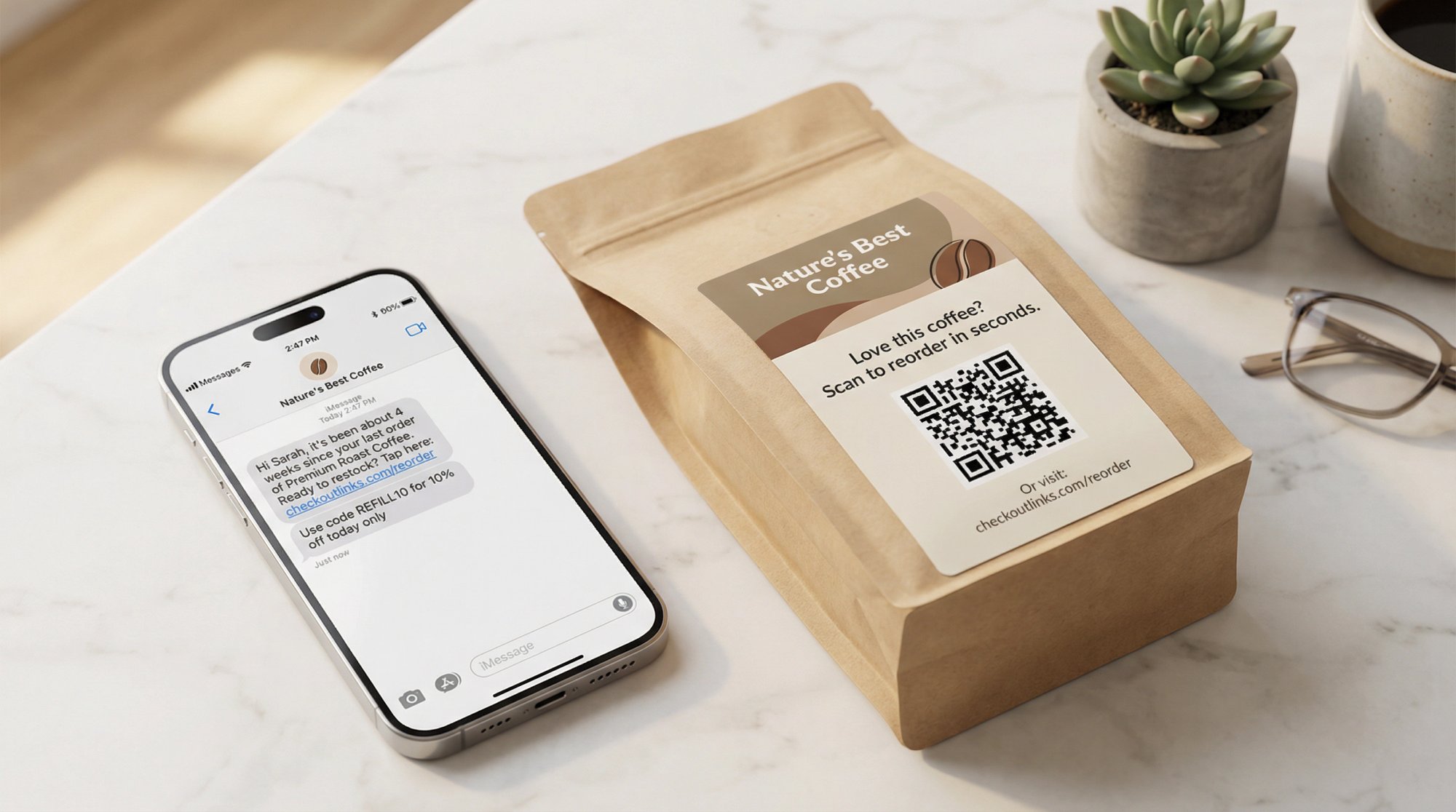
Text messages get extremely high open rates (95%+). An SMS like:
“Hi [Name], it’s been about 4 weeks since your last [Product]. Ready to restock? Tap here: [short link]”
…can be incredibly effective. Keep it concise. Use SMS primarily for products customers really don’t want to run out of, or for VIP customers who’ve opted in.
Some advanced SMS commerce solutions even let customers re-order by replying “YES” (charging their saved card on file). But even a simple text with a reorder link works great.
Send at a friendly hour (midday, not early morning or late evening). And consider offering an incentive in the SMS if you’re using it as a premium channel.
SMS reorder flows are sometimes called the “anti-subscription subscription” because customers get the convenience of a text reminder and can complete an order on demand without being locked into anything.
QR Codes on Packaging
Include a QR code on your packing slips or product inserts that links to a personalized reorder page. Customers scan the code with their phone and land on a pre-filled cart. It’s a great way to bridge the physical and digital experience.
Example insert copy: “Love this product? Scan here to reorder in seconds when you’re running low.”
Push Notifications
If you have a mobile app or use web push notifications, these can serve as additional touchpoints. A push notification like “Heads up! It might be time to reorder your [Product]” can complement your email.
The user taps it and gets taken straight to their cart.
Retargeting Ads
For high-value products or large customer bases, you could run Facebook or Instagram remarketing campaigns. Create a segment of customers who bought a product 30 days ago and haven’t repurchased, then show them an ad:
“Time to reorder [Product]. Get 10% off this week only for returning customers.”
This costs ad dollars, so weigh the ROI (best for high-margin products). But it can capture people who ignore emails.
On-Site Reminders
If a returning customer logs into your site (or if you use cookies to identify them), show a banner or pop-up:
“Welcome back! Ready to restock the [Product] you bought last time? Add to cart now.”
A banner on the homepage for logged-in customers can work well: “Buy Again: [Product].”
Coordination Across Channels
Using multiple channels increases the chances of reaching the customer at the right time. But don’t spam them across every channel on the same day.
Typical strategy: Send the email first. If not opened, follow up with SMS a few days later. Or use email for the first reminder and SMS for the last-chance-with-discount message.
Always respect opt-outs and preferences. If someone ignores these reminders on one channel, don’t just switch to another without consent.
The beauty of reorder flows (compared to subscriptions) is you can meet the customer where they prefer. Some respond to email, others to text. By using the channels available thoughtfully, you maximize the likelihood of bringing them back.
Common Mistakes to Avoid (and How to Fix Them)
Watch out for these pitfalls:
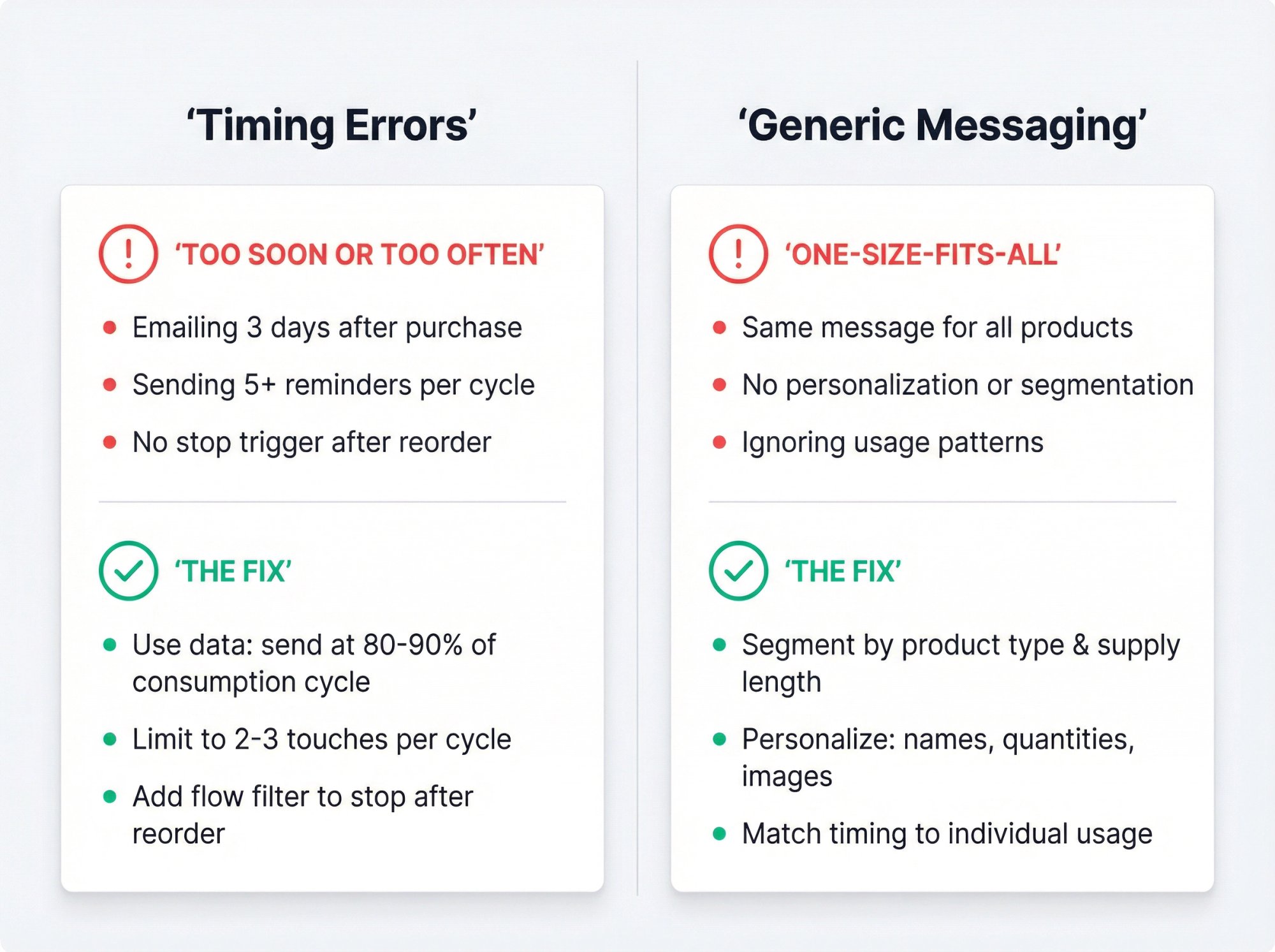
Timing Errors (Too Soon, Too Often)
Emailing too soon (“I just bought last week!”) or too frequently annoys customers. Use data to guide timing. Always include a flow filter to stop emails after they reorder.
Limit touches to 2 to 3 per cycle. If they haven’t responded after that, leave them alone for a while.
Fix: Calibrate timing to product usage. Err on slightly early rather than late (better to remind when they have a little left than after they’ve run out and bought elsewhere). Monitor engagement and adjust.
Generic One-Size-Fits-All Messaging
Sending the same message to everyone without accounting for what the product is or how the customer uses it falls flat.
A customer who bought a 3-month supply doesn’t need a reminder at 30 days. Someone who bought a week’s worth might need one sooner.
Fix: Segment or branch your flows by product type. Use logic to set different wait times per item. Personalize content (product names, images, etc.). Relevance is what makes the difference.
Not Having Inventory in Stock
Sending a “reorder now” email when the product is sold out or back-ordered is terrible. You encourage action and then can’t fulfill.
Fix: Keep inventory ready to support repeat orders. Set up alerts for stock levels. If a product is temporarily out of stock, pause the flow for that product or adjust the message (maybe suggest an alternative).
Carry extra safety stock for items in active replenishment programs since you know reminders will drive demand.
Ignoring Data and Not Optimizing
Setting up the flow and never looking at the results means you miss opportunities to improve.
Fix: Treat this like any marketing campaign. A/B test subject lines, send times, incentives. Watch your reorder rate, email performance, and customer lifetime value.
Test the presence of a discount: run the flow without a discount one period and with a small discount the next. Measure the change in conversion and margin. Over time, you’ll find the most effective formula for your audience.
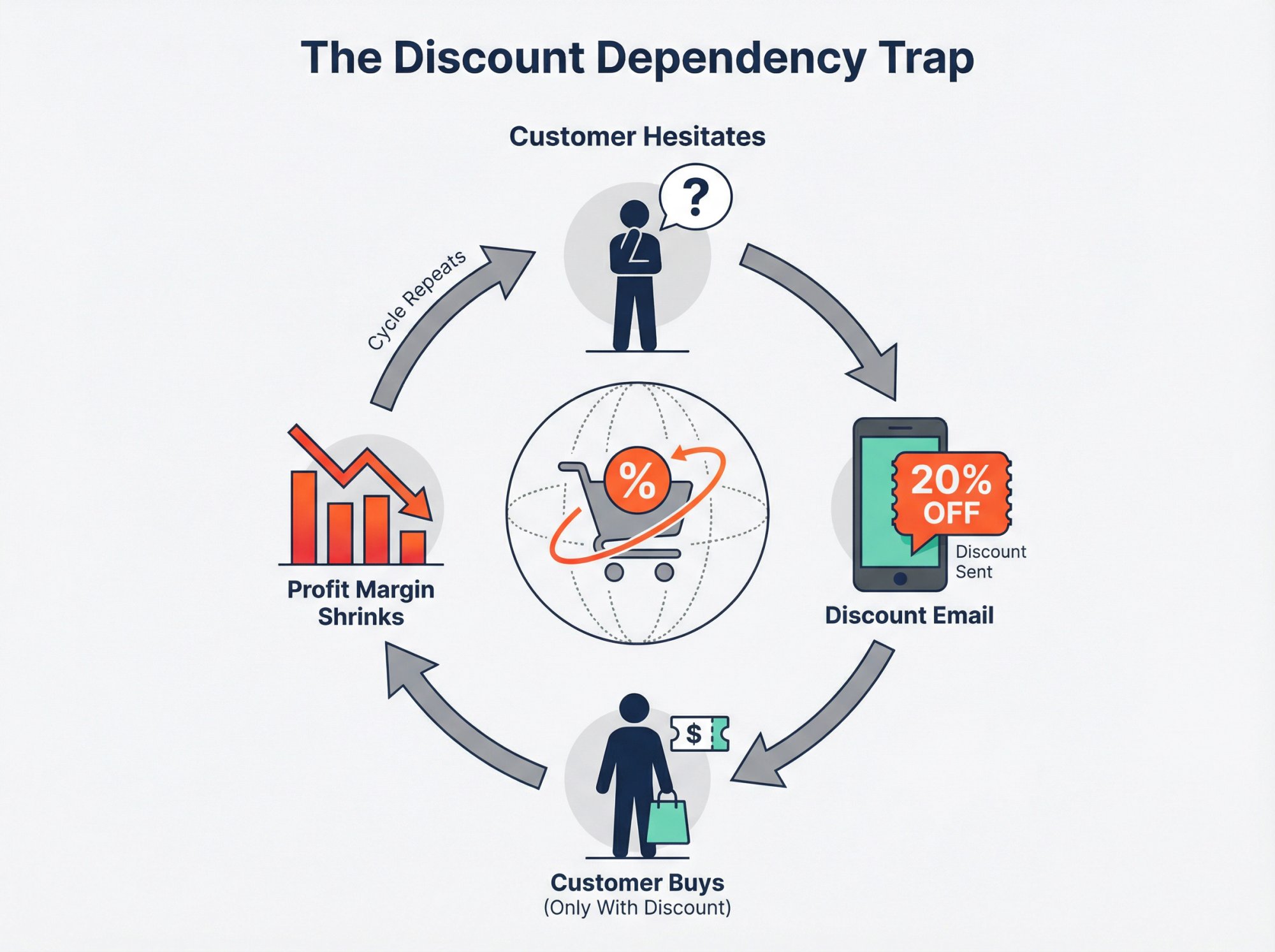
Over-Discounting (Training Coupon Dependency)
If every reorder only happens when you give 20% off, you’re conditioning customers to wait for emails and eating into profits.
Fix: Use non-discount tactics first (convenience, urgency, product benefits). Reserve discounts as a last resort or occasional perk.
Consider loyalty points (perceived value but lower cost). Monitor how many people reorder without a coupon. Your goal is to maximize full-price reorders and use coupons mainly to recover those who wouldn’t have bought otherwise.
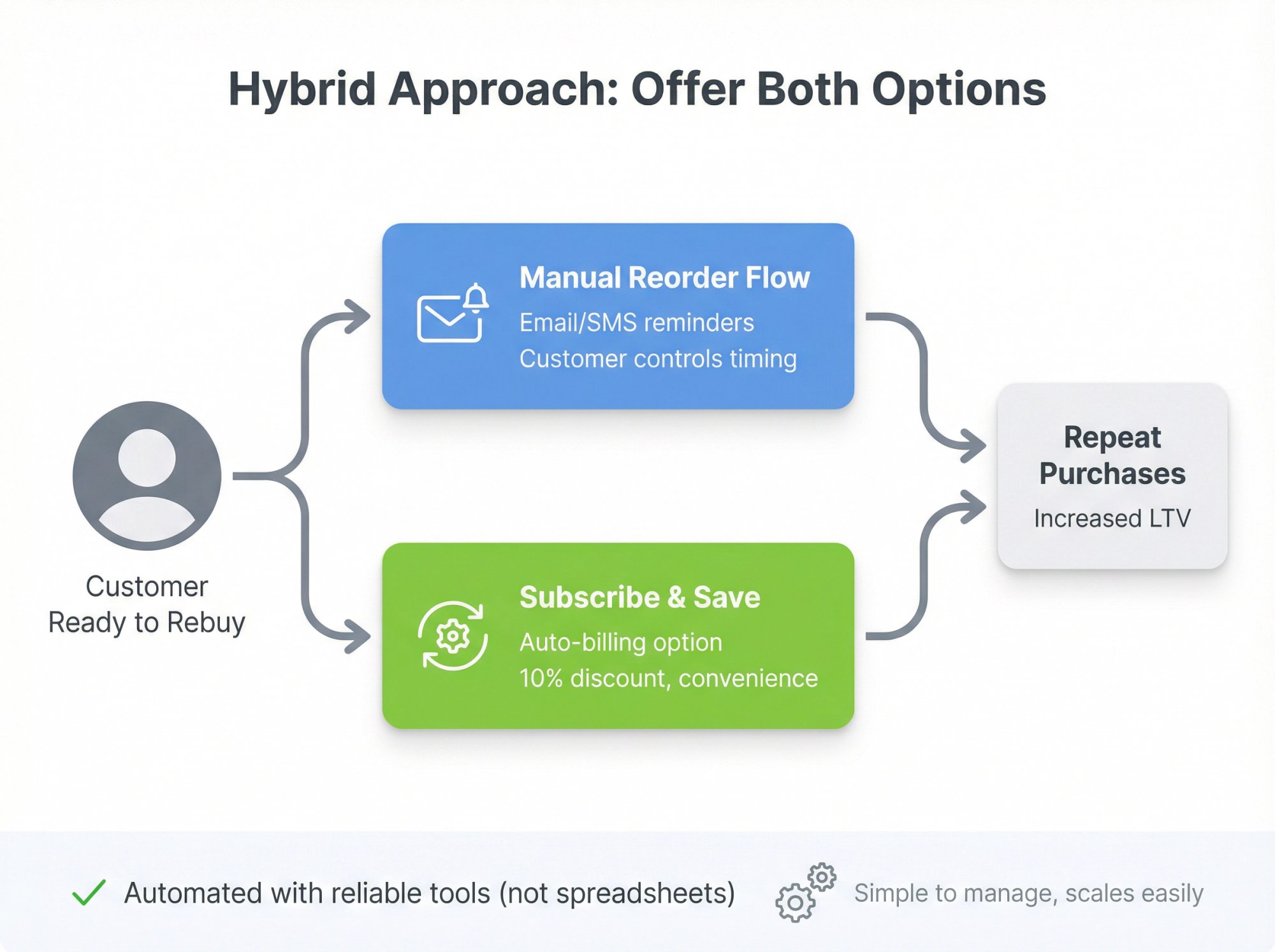
Not Offering a Subscription Option (for Those Who Want It)
While our focus is on flows without subscriptions, some customers do actually prefer subscriptions if they’re fully convinced of the product.
Fix: Run a hybrid approach. Use the first reorder as a chance to gently promote a subscription:
“If you find yourself reordering often, consider our subscribe & save program and never run out (plus save 10% on each order).”
Educate customers about subscription benefits even if they start in a replenishment flow. You can include a line in a later email: “Tired of reordering manually? Join our subscription and we’ll handle it for you.”
This way, you capture both types of customers without forcing anyone.
Overcomplicating the Process on Your End
Trying to DIY with manual calendar reminders or spreadsheets doesn’t scale and is error-prone.
Fix: Invest time up front to automate through reliable systems (email marketing automation or smart checkout link tools). The effort to set up proper flows is worth it for consistent execution. And since you’re not paying hefty subscription app fees, you can justify spending on the right automation tools.
Measuring Success: Key Metrics for Your Reorder Flow
How do you know if your reorder flow is working? Track these metrics:
Checkout Links provides native analytics tracking within Shopify, so you can see exactly how your reorder campaigns perform.
Reorder Rate
What percentage of customers who received the reminder actually made a repeat purchase? This is your primary success metric.
Benchmark: Replenishment emails typically convert at 10 to 15%, so aim for that range or higher.
Email Performance Metrics
- Open rate: Are people seeing your emails? 50 to 60% is typical for replenishment emails.
- Click rate: Are they clicking the reorder link?
- Conversion rate: What percentage of clickers complete a purchase? Compare these to your standard marketing emails. Replenishment emails should significantly outperform.
Customer Lifetime Value (CLV)
As you get customers buying a second, third, fourth time, their CLV increases. Track the average number of orders per customer and total revenue per customer over time.
Remember, boosting retention by just 5% can increase profits by 75%. Even modest improvements in reorder rate have big impacts on the bottom line.
Revenue Attribution
If you’re using smart checkout link tools with analytics, you can track revenue by UTM source and medium in Shopify’s native analytics. This lets you see exactly how much revenue each reorder campaign generates.
Calculate ROI by comparing the incremental revenue from reorders against the cost of your email platform, automation time, and any incentives you’re offering.
Time to Second Purchase
How long does it take customers to make their second purchase on average? If your reorder flow is working, this should decrease over time as your reminders catch people at the perfect moment.
Also track repeat purchase rate (percentage of all customers who buy more than once). This should trend upward as your flows mature.
Frequently Asked Questions
How Is a Reorder Flow Different From a Subscription?
A reorder flow reminds customers to buy again, but they manually confirm each purchase (no auto-billing). A subscription charges and ships automatically at set intervals. Reorder flows give customers more control and flexibility, while subscriptions offer “set it and forget it” convenience. Many customers prefer reorder flows because they avoid the commitment and cancellation friction of subscriptions.
What If Customers Ignore My Reorder Reminders?
If engagement is low, first check your timing (are you emailing too soon or too late?). Then test subject lines to make sure people know what the email is about. Also verify your reorder link works smoothly on all devices. Some customers might genuinely not need a refill yet, which is fine. The goal isn’t 100% conversion, but to capture those who are ready. If someone consistently ignores reminders, you can reduce frequency or exit them from the flow.
How Do I Know When to Send Reorder Reminders?
Analyze your order history to find the average time between purchases for each product. For a 30-day supply product, send the first reminder around day 25 (before they run out). For a 90-day supply, wait about 85 days. If you don’t have data, use the product’s expected usage cycle. Then test and adjust based on response rates.
Do I Need Expensive Tools to Set Up a Reorder Flow?
Not necessarily. If you already have an email marketing platform (Klaviyo, Omnisend, Drip, etc.), you can set up basic flows using triggered automation. For one-click reorder links, you can either code cart URLs manually (free but time-consuming) or use an affordable app ($25/month). The ROI is strong even with these small costs since one extra order per month usually covers the expense.
What If I Don’t Have Email Marketing Automation Set Up?
You’ll want to set that up first. Most e-commerce platforms integrate with email tools. Start with a free or low-cost plan (many offer free tiers for small lists). Focus on one simple flow: a reminder 30 days after purchase for your top consumable product. Once that’s working, expand from there. The investment in automation pays off quickly with repeat purchase revenue.
Can I Use Reorder Flows for Any Product Type?
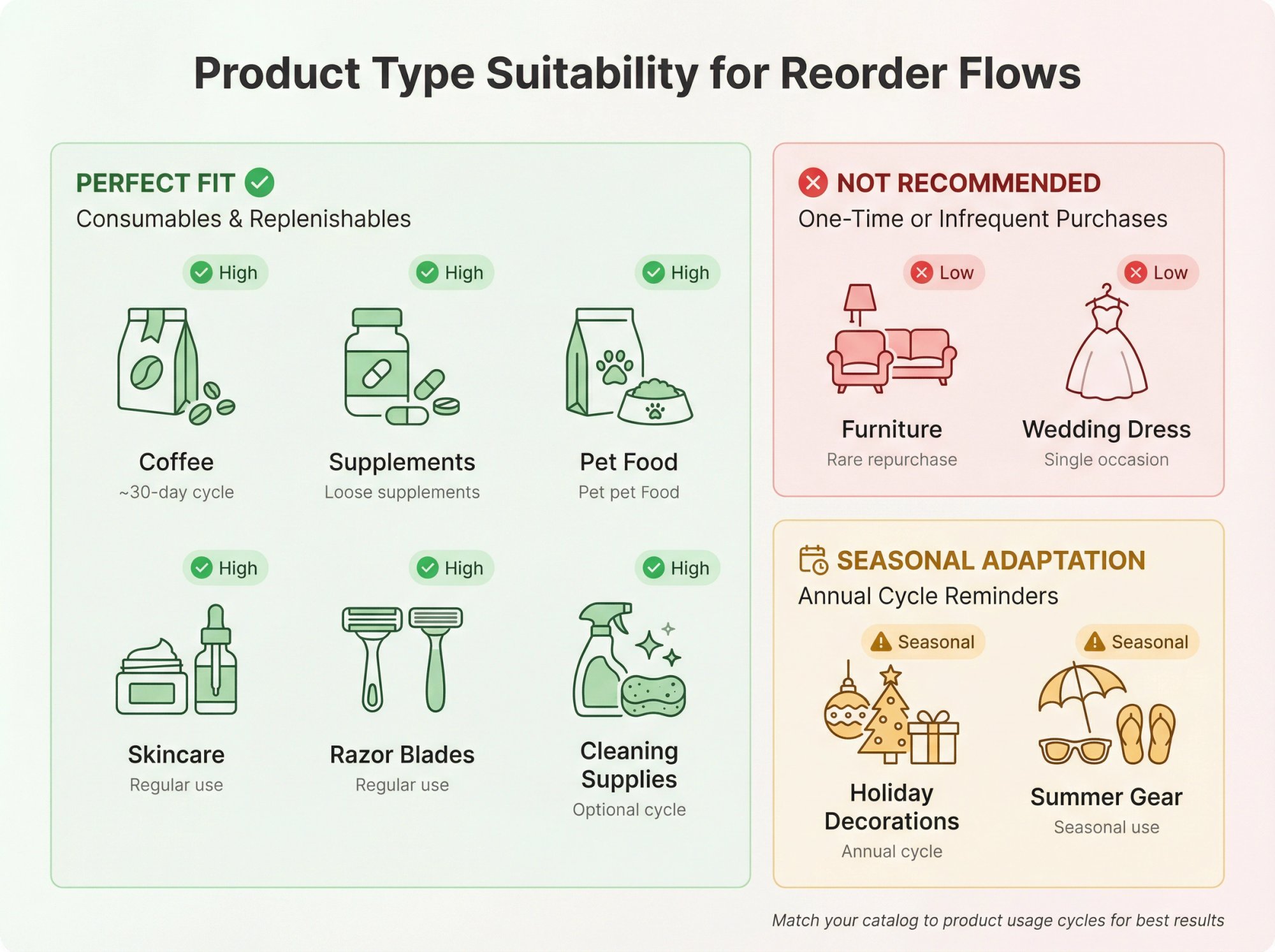
Reorder flows work best for consumables and replenishables (things customers need to buy repeatedly). Coffee, supplements, pet food, skincare, razor blades, cleaning supplies, etc. They’re less effective for one-time or infrequent purchases like furniture or wedding dresses. But you could adapt the concept for seasonal items (holiday decorations, summer gear) by timing reminders to the relevant season each year.
How Do I Avoid Annoying Customers With Too Many Reminders?
Limit to 2 to 3 touches per reorder cycle. Always include an unsubscribe option specific to these reminders. Make sure you stop the flow once they reorder. Use data to time messages appropriately (not too soon, not too late). And if someone opts out or consistently ignores, respect that. You can also ask for preferences: “How often would you like reorder reminders?” Some customers will appreciate the option to choose.
What’s a Realistic ROI Timeline for a Reorder Flow?
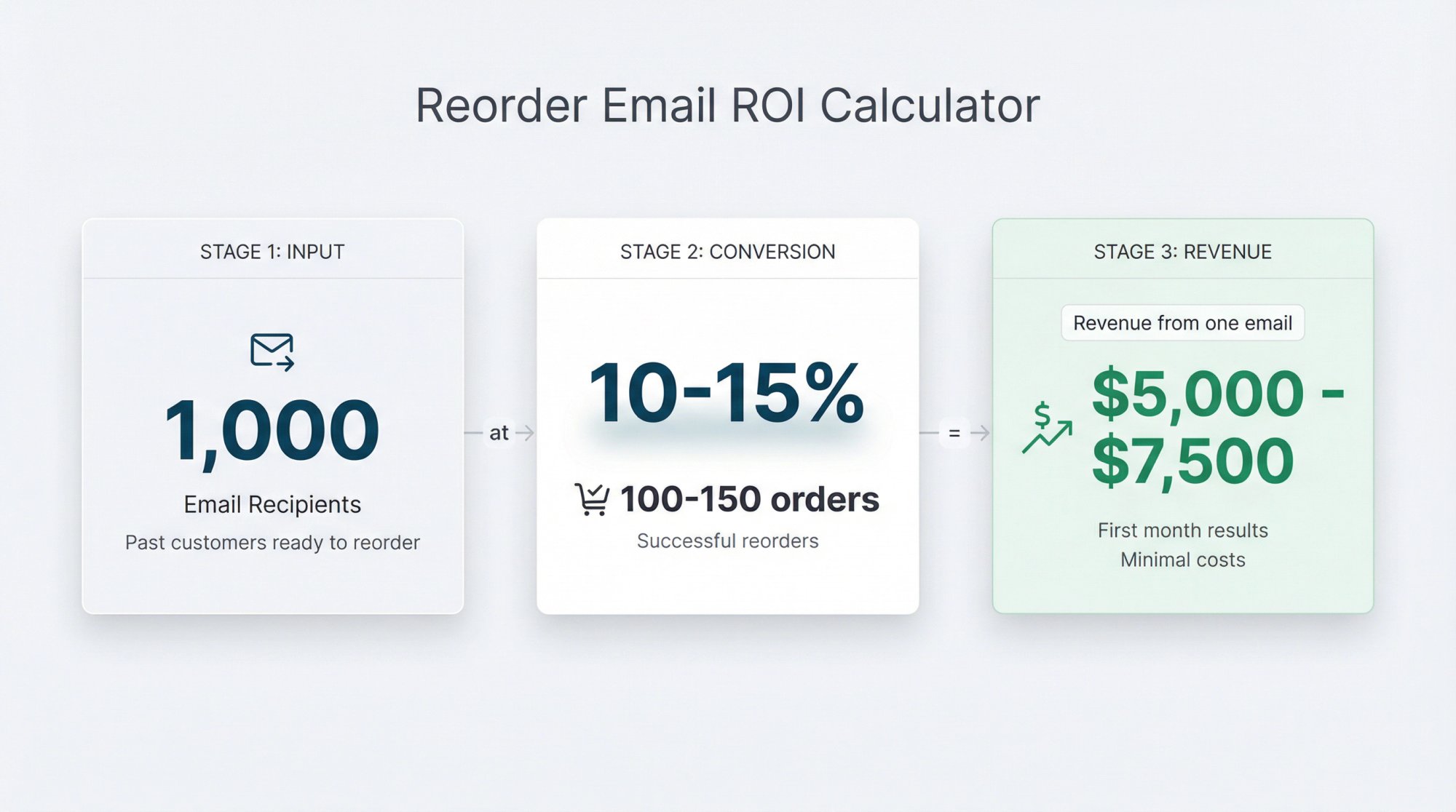
You can see results within the first month if you’re sending to customers who are already due for a refill. For example, if you have 1,000 past customers who bought a 30-day product 25 to 35 days ago, send them a reorder email this week. With a 10 to 15% conversion rate, that’s 100 to 150 orders. If your average order value is 50, that’s 5,000 to $7,500 in revenue from one email. Costs are minimal (email platform + maybe a smart checkout link tool). The ROI can be 10x or higher in the first month, and it compounds as more customers enter the flow.
Make Repeat Purchases Easy (and Watch Your Revenue Grow)
Getting customers to buy again doesn’t require locking them into subscriptions they’ll resent. A well-designed reorder flow gives you the best of both worlds: recurring revenue through timely, helpful reminders and customer goodwill because they stay in control.
Start with one product. Set up a simple 2 to 3 email sequence. Create a frictionless reorder link (use smart checkout link tools if you want to avoid the technical complexity). Send the first batch of reminders. Measure the results. Optimize.
Once you see it working, expand to more products and refine your approach. Add SMS for high-value items. Include QR codes on packaging. Test different incentives and timing.
The goal isn’t perfection on day one. It’s building a system that sustainably drives repeat purchases by being genuinely helpful at the exact right moment.
Try smart checkout link solutions free and see how much simpler reorder flows become when you have the right tools. At $25/month, if it drives just one extra repeat order, it’s already paid for itself.
Your customers are ready to buy again. Make it easy for them.


