Split testing a landing page is pretty straightforward: you create two versions, show each to a segment of your visitors, and see which one gets better results. For anyone running a Shopify store, this isn’t just a neat trick—it’s how you stop guessing and start making decisions with real data to actually boost conversions and grow your revenue.
Why Split Testing Is a Must for Shopify Growth
Let’s cut through the marketing fluff and get straight to what matters. Picture two Shopify stores. Store A designs its landing pages based on what “feels” right. Store B, on the other hand, methodically tests every important element. The difference isn’t a tiny bump in sales. Store B sees real, measurable lifts in conversions and, ultimately, customer lifetime value. That’s the power of letting data drive your decisions.
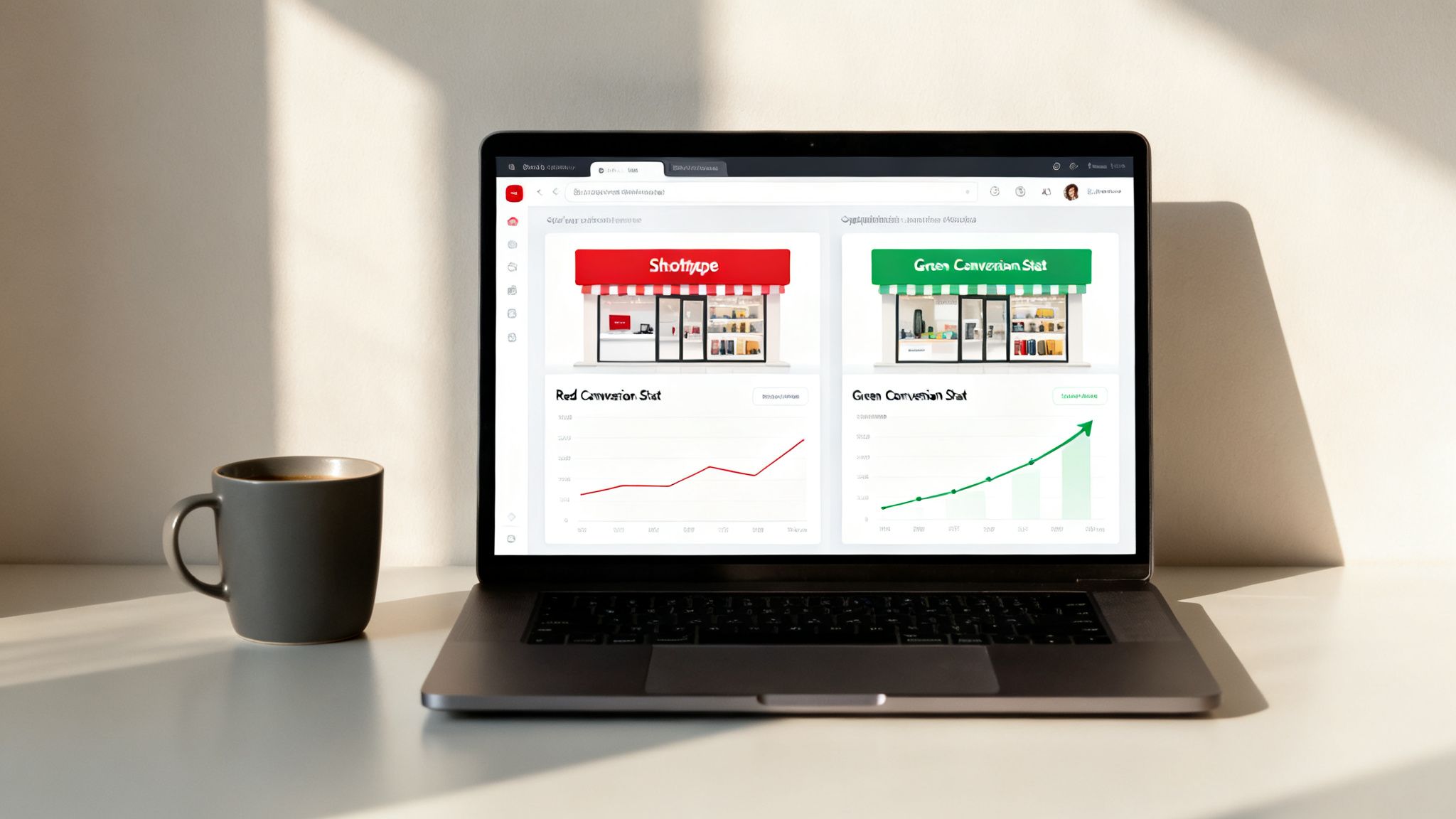
You’d be surprised how small, data-backed changes to your landing pages can slash cart abandonment rates and build a much more profitable business. The gap between stores that test and those that don’t is huge. In fact, for Shopify merchants, consistent A/B testing can increase sales by an average of 49%. Some studies even show that rigorous, continuous testing can lead to conversion rates that are up to 300% higher.
This process turns your store from a static product catalog into a dynamic sales engine that’s always getting smarter and more effective.
The Core of Conversion Optimization
To really get why split testing is so critical for Shopify growth, you have to understand the bigger picture of What is Conversion Rate Optimization. Think of CRO as the overall strategy, and split testing is one of its most powerful tactics. Instead of launching a new page design and just hoping it works, you prove it with cold, hard numbers.
This systematic approach means every change you push live is a calculated step forward, directly contributing to your bottom line. It’s all about making smarter decisions for your landing pages, not just prettier ones.
Connecting Test Metrics to Real-World Revenue
It’s easy to get lost in the weeds of metrics like click-through rates and bounce rates. But how do those numbers actually translate to more money for your business? Each metric you improve through testing has a direct and tangible impact on your revenue.
Here’s a quick breakdown of how these improvements connect to your bottom line:
| Metric to Test | Potential Improvement | Direct Business Impact |
|---|---|---|
| Add-to-Cart Rate | A better product description or clearer call-to-action increases this rate. | More items in carts directly leads to a higher potential for completed sales and increased Average Order Value (AOV). |
| Checkout Completion Rate | Simplifying the checkout form or offering more payment options reduces drop-offs. | Fewer abandoned carts means more completed purchases and an immediate lift in total revenue. |
| Email Opt-in Rate | A more compelling offer or a better-placed signup form captures more leads. | A larger email list provides more opportunities for targeted marketing, driving repeat purchases and increasing Customer Lifetime Value (CLV). |
Seeing the data this way makes it clear: optimizing these small-scale metrics isn’t just an academic exercise. It’s a direct line to a healthier, more profitable e-commerce business.
Beyond the Page to the Purchase
The real impact of a good landing page test goes way beyond that single page. Imagine you’re running a promotion and using a tool like Checkout Links. You could test sending ad traffic to two different destinations: one is your standard product page, and the other is a custom landing page with a discount already applied.
A simple test like this can tell you so much about what truly motivates your customers and what’s causing friction in their buying journey. The difference in performance between those two pages could be what separates a break-even ad campaign from a massively successful one.
Ultimately, split testing your landing pages isn’t just another task to add to your to-do list; it’s the engine for sustainable growth in e-commerce. You can learn more about the specific benefits of A/B testing in our guide to data-driven growth.
How to Craft a Test Hypothesis That Actually Works
Great split tests don’t start with a gut feeling or a random idea you had in the shower. They begin with a solid, data-backed hypothesis.
Tinkering with button colors just because you read an article about it rarely moves the needle. The real breakthroughs happen when you put on your detective hat and dig into your existing data to figure out where your customers are getting stuck.
Your best test ideas are already waiting for you, hidden in your analytics.
- Heatmaps are your friend. Where are people clicking? More importantly, where are they trying to click but can’t? If you see a cluster of clicks on an image that isn’t a link, you’ve found a point of confusion.
- Watch session recordings. Seriously, this is like looking over your customer’s shoulder. You’ll see them scroll right past your CTA, hesitate over your pricing, or rage-click when something doesn’t work. It’s a goldmine.
- Talk to your support team. What questions are they answering all day long? If customers constantly ask about your return policy, it’s probably not clear enough on your landing page.
- Read your one and two-star reviews. These complaints often point directly to mismatched expectations or missing information that your landing page failed to provide.
Turning Clues Into a Clear Hypothesis
Once you’ve spotted a problem, you can build a hypothesis. This isn’t just a guess; it’s a structured statement that clearly defines what you’re testing and what you expect to happen.
A simple framework will keep you honest and focused.
Using this formula forces you to connect every test to a real business goal and back it up with actual evidence, not just a hunch. It turns a random idea into a calculated experiment.
Let’s walk through a real-world Shopify example.
Say you’re working with an influencer who’s promoting a 20% discount to their followers. Looking at past campaigns, you notice a massive drop-off between people visiting the product page and actually starting the checkout process.
Here’s how you’d form your hypothesis:
“By sending this influencer’s traffic to a dedicated ecommerce landing page where the discount is automatically applied (the thing we’re changing), we expect to increase our add-to-cart rate by 15% (our goal) because session recordings show users get frustrated trying to find the coupon code box at checkout (our reason).”
See how clear that is? It’s specific, measurable, and tackles a known friction point head-on. This sets up a perfect A/B test: your standard product page (the Control) against the new, custom landing page (the Challenger).
This data-first approach is what separates random testing from strategic optimization that actually grows your business. If you’re new to this, you can learn more about creating a high-converting ecommerce landing page in our detailed guide.
A Practical Walkthrough for Setting Up Your Split Test
Okay, you’ve got a solid hypothesis. Now it’s time to roll up your sleeves and get this test built. This is the fun part—where we move from ideas on a whiteboard to actual pages that real customers will see. I’ll walk you through how to get the technical side done cleanly and simply, no developer required.
First things first, you need to create your two page variations inside Shopify. You’ll have your Control (the original page) and your Challenger (the new version you’re betting on). Whether you’re duplicating an existing page to make a few tweaks or using a page builder app, the golden rule is to isolate a single, significant variable.
Let’s say your hypothesis is that a customer testimonial video will build more trust and drive more sales than a static image. In this scenario, your Challenger page needs to be an exact clone of the Control, with one and only one difference: the video replaces the image. Everything else—the headline, the button color, the copy—must stay identical. This is absolutely critical for a clean test.
Creating Your Test Environment
With your pages built, how do you get traffic to them? This is where a tool built for Shopify merchants, like Checkout Links, really shines. Instead of messing with complex traffic-splitting software, you can just create two unique, trackable links—one pointing to your Control and one to your Challenger.
As you can see, the interface makes it dead simple. You just assign a unique URL to each page variant, which forms the foundation of your split test. You then use these two distinct links in your marketing campaigns to manually direct traffic. For example, you might use one link for your Facebook ads and the other in your Instagram bio.
Visualizing Your Hypothesis Flow
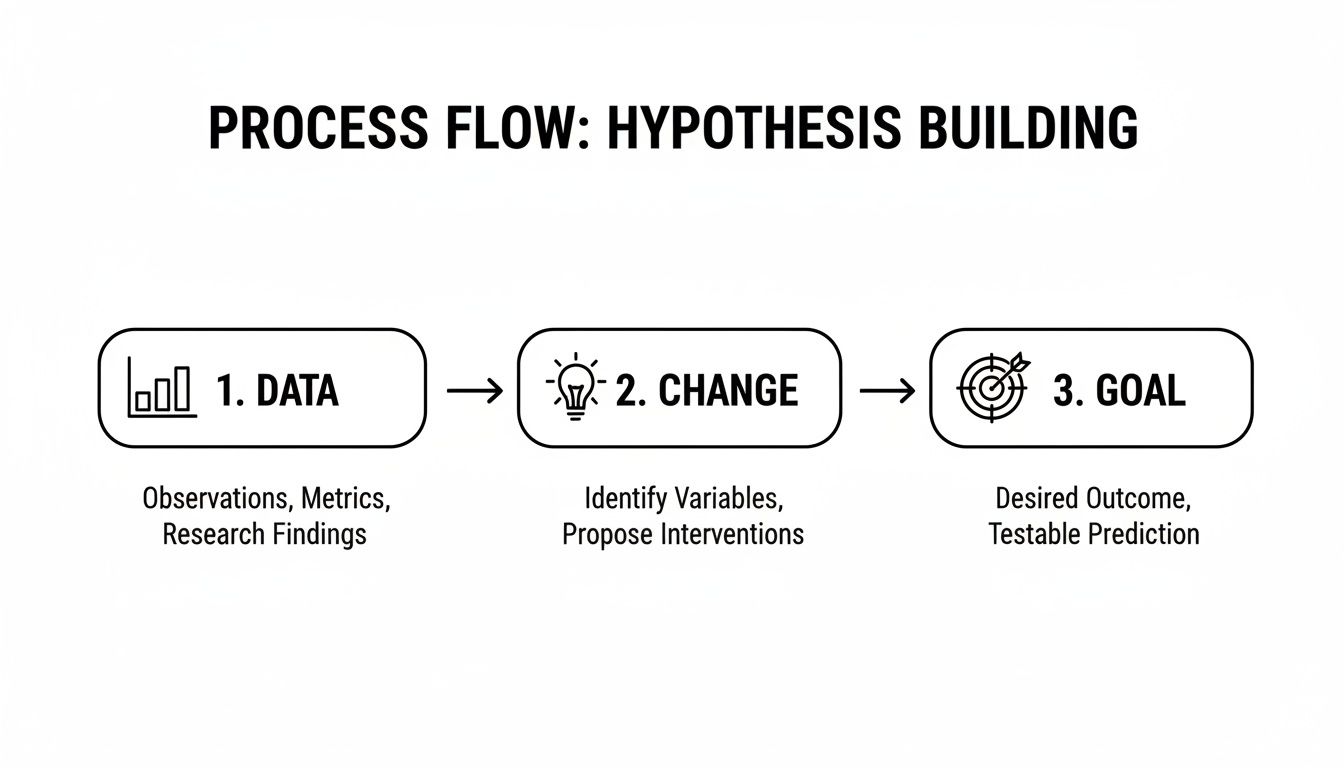
A good test always starts with a clear line of thinking, moving logically from an observation to a measurable goal. It’s not just a random guess.
This simple, three-part structure is the backbone of every powerful testing hypothesis I’ve ever run.
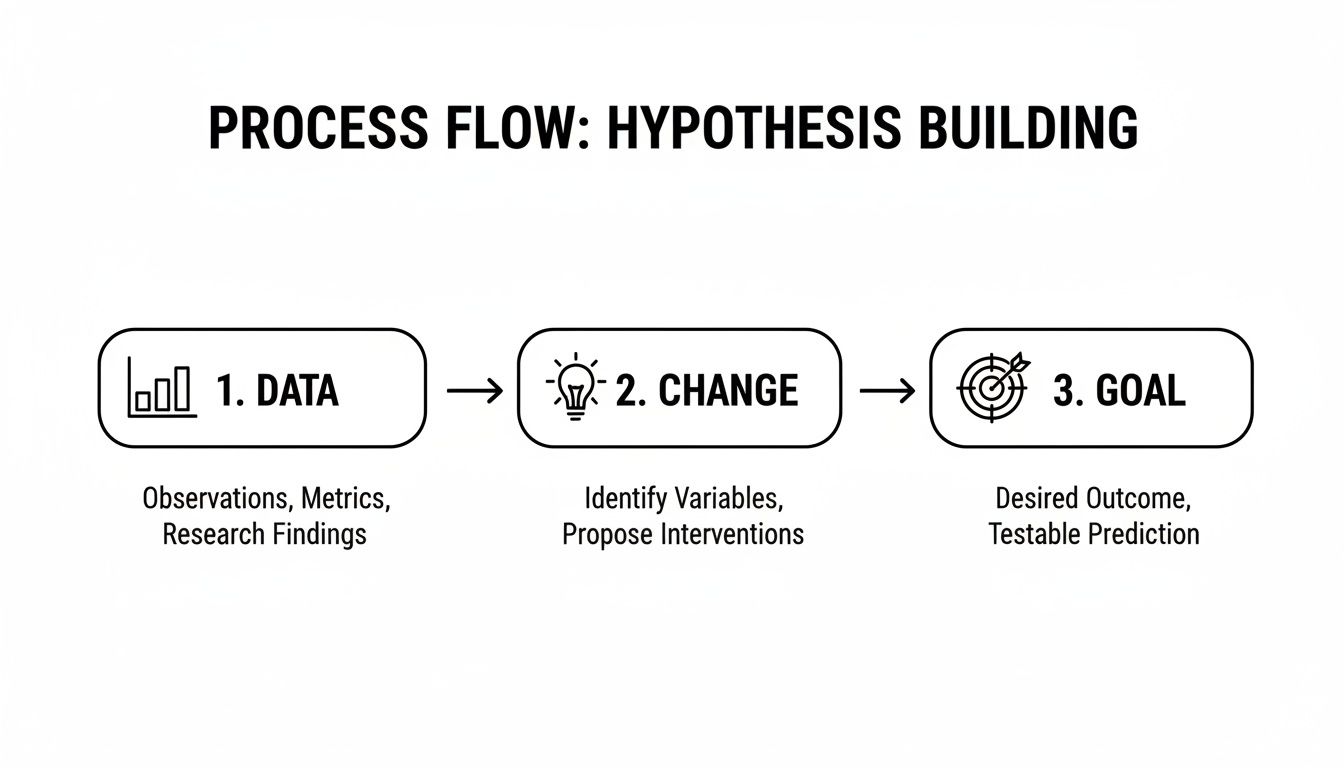
Following this process forces you to ground your test in real data, focus on a specific change, and tie it all back to a clear business objective.
Before you go live, run through this final pre-flight checklist. Getting this right now will save you a world of headaches later.
- Page Consistency: Are both pages truly identical except for the one element you’re testing? Be picky about this.
- Link Assignment: Do you have one unique Checkout Link for your Control page and a separate one for your Challenger?
- Tracking Verification: Are all your analytics and ad pixels firing correctly on both pages? Use browser extensions like the Meta Pixel Helper to be 100% sure.
- Goal Definition: Is your primary conversion goal (like add-to-cart clicks or email sign-ups) clearly defined and trackable in your analytics? Once you’ve ticked these boxes, you’ve officially moved beyond planning. You’ve built a functional environment for split testing landing pages and are ready to start sending traffic and gathering the data that will power your next big win.
How Long to Run Your Test and How Many People You Need
https://www.youtube.com/embed/51NS0cGjBIk
One of the biggest—and most expensive—mistakes I see people make with split testing is calling it quits too soon. It’s so tempting. You see your new page get a rush of conversions in the first two days, you get excited, and you declare it the winner. The problem is, if you’d let it run, the data might have ended up telling a completely different story.
When it comes to split testing, patience isn’t just a good idea; it’s essential if you want data you can actually trust. Before you even think about launching, you need to nail down two critical numbers: your required sample size and your test duration. This isn’t about throwing a dart at the wall; it’s about making sure your final results have real statistical meaning.
Figuring Out Your Sample Size
So, how many eyeballs do you need on each version of your page to get a reliable result? Luckily, you don’t have to dust off your old statistics textbook. There are plenty of free online A/B test sample size calculators that do all the heavy lifting.
To use one, you’ll need to plug in a few numbers:
- Baseline Conversion Rate: This is simply your current page’s conversion rate. If it’s a brand new page and you have no data, start with a conservative estimate like 2-3%, which is a pretty common starting point for many stores.
- Minimum Detectable Effect (MDE): This is the smallest improvement you actually care about detecting. A 15-20% lift is a realistic and meaningful target. If you try to detect a tiny 1% change, you’ll need an enormous amount of traffic that most stores just don’t have.
- Statistical Significance: This is basically your confidence level in the result. The industry standard is 95%. This means you can be confident there’s only a 5% probability that the outcome was just a random fluke. Once you plug these in, the calculator will spit out the number of visitors each page needs. This simple step prevents you from making a huge decision based on a sample size that’s just too small to mean anything.
Why the Test’s Timespan is Just as Important
Hitting your target sample size is only half the equation. You also have to let the test run long enough to smooth out the natural peaks and valleys of customer behavior.
For most Shopify stores, this means running a test for at least one full business cycle. What’s that? Usually, it’s about one to two full weeks. Think about it: the way people shop on a Tuesday morning is completely different from how they shop on a Saturday night.
If you only run a test for a couple of days, you might accidentally catch a weird traffic spike or a holiday lull, which would completely skew your results and lead you down the wrong path. By letting the test run for at least a full week, you’re getting a much more accurate picture of how your pages perform with your real, everyday customer traffic.
How to Analyze Your Results and Make Smart Decisions
The test has run its course, and now for the moment of truth: turning all that raw data into profitable decisions. Once your test hits statistical significance, the real work of interpretation begins. This isn’t just about picking a winner; it’s about understanding why something won and how you can use that insight to build a smarter business.
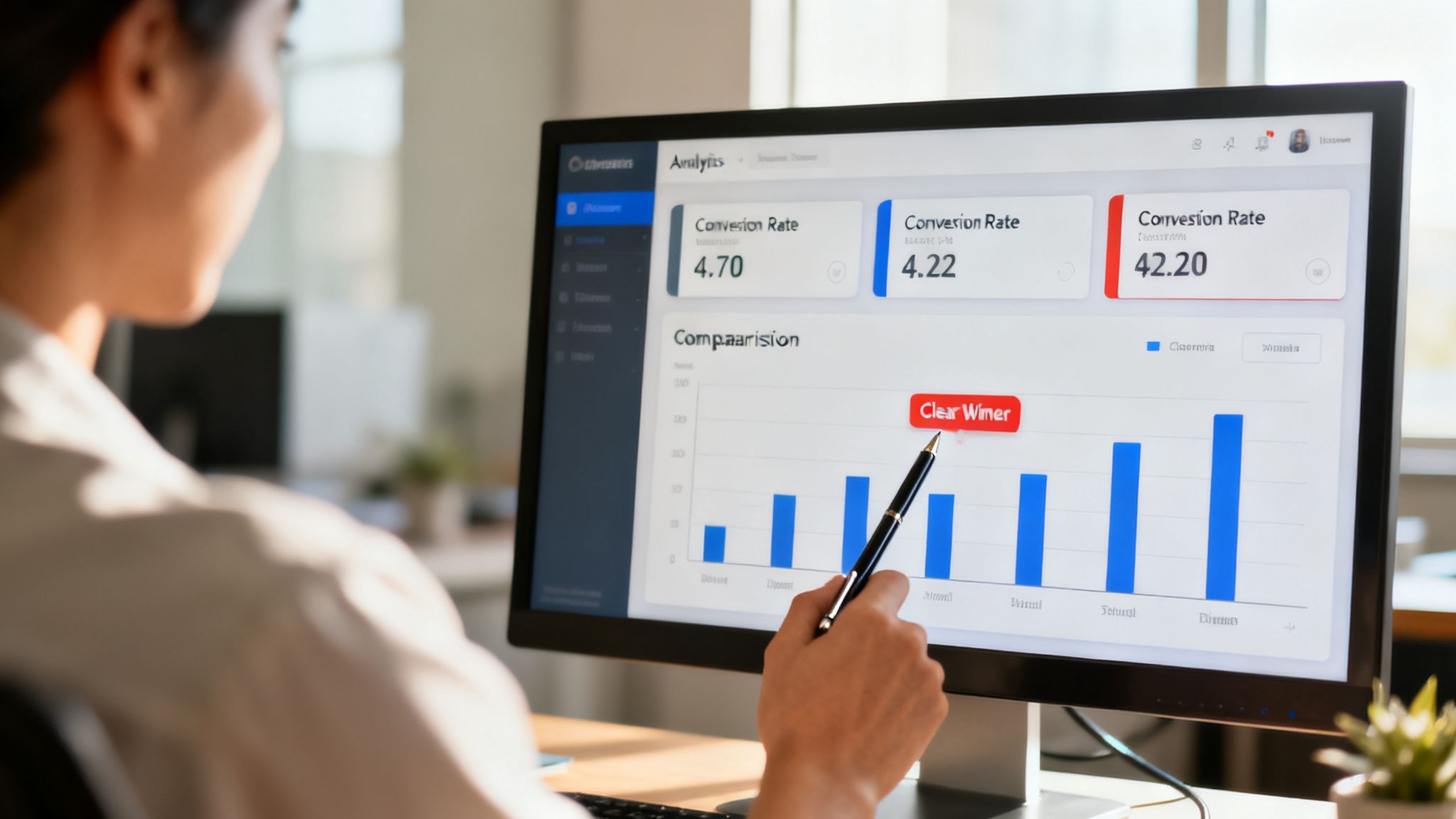
Your first stop is your analytics tool. Whether you’re diving into your Shopify dashboard, a dedicated testing app’s report, or digging through Google Analytics 4, you need to zero in on the key metrics you defined in your hypothesis. If your goal was to boost the add-to-cart rate, that’s your North Star. Did your new challenger page actually outperform the original? And by how much?
But don’t stop there. A truly comprehensive analysis goes beyond that one primary goal to paint the full picture.
- Secondary Metrics: What happened to your average order value (AOV)? It’s possible your new page convinced more people to buy, but they ended up spending less. That’s a critical trade-off to understand.
- User Behavior: Look at engagement signals like time on page or scroll depth. A higher conversion rate is fantastic, but if you see that users are also more engaged with the content, it suggests your changes had a much deeper, more positive impact.
- Segmented Data: This is where the gold is often hidden. How did different traffic sources or device types perform? Your new page might be a massive win for mobile users but a slight loss on desktop—crucial information for your next round of optimizations.
Understanding the Three Possible Outcomes
After sifting through the data, you’ll generally find yourself in one of three scenarios. The good news? Each one gives you a clear path forward, and none of them represent wasted time or effort. Your job is to correctly identify the outcome and take the right action.
Keeping this mindset is absolutely key to building a successful, long-term testing program.
A Decision Matrix for Your Split Test Outcomes
To make this even simpler, think of your results through this decision-making framework. It helps clarify what the numbers mean and what your immediate next step should be.
| Test Outcome | What It Means for Your Store | Your Next Action |
|---|---|---|
| A Clear Win | Your challenger page performed significantly better than the control, validating your hypothesis. | Implement the winning variation for 100% of your traffic. Document the win and the underlying principle in your testing log. |
| A Clear Loss | The challenger page performed significantly worse. Your hypothesis was proven incorrect. | Stick with your original control page. Document what you learned about your audience from this result and formulate a new hypothesis. |
| Inconclusive | There was no statistically significant difference between the two versions. | Keep the original page. This tells you the change didn’t matter enough to customers. Archive the test and move on to a bolder experiment. |
No matter the result, you’ve learned something important about your customers. The key is to make sure that knowledge sticks around.
Build Your Institutional Memory
The final—and arguably most overlooked—step is to meticulously document everything. Create a dedicated testing log. This can be a simple spreadsheet, but it quickly becomes your company’s institutional memory of what works, and just as importantly, what doesn’t work for your specific audience.
For every single test, make sure you record your hypothesis, show the variations you tested, note the primary metric, and list the results with your key takeaways.
Over time, this log transforms into an invaluable playbook. It stops you from repeating failed tests months down the line and helps you build on past successes. This is how you turn one-off experiments into a powerful, compounding knowledge base for your brand, making every future decision about your landing pages smarter than the last.
Got Questions About Split Testing? We’ve Got Answers
Even with the best plan, you’re bound to have questions when you start split testing. That’s perfectly normal. Let’s walk through some of the most common things Shopify merchants ask when they’re getting their feet wet with landing page optimization.
And just in case you need a quick primer on what a landing page is designed to do, this guide on What is a Landing Page? is a fantastic resource.
What Should I Test on My Landing Pages First?
When you’re just starting, go for the big wins. Don’t waste time and traffic testing tiny changes like a slightly different shade of blue. You want to test the elements that have the most leverage over a visitor’s decision to buy.
Here’s where I’d start:
- Your Headline: This is your first, and maybe only, chance to grab their attention. Does it clearly and powerfully state your value proposition?
- The Hero Image or Video: Is your main visual striking? Does it actually show the product in a way that builds desire and trust?
- The Call-to-Action (CTA): The button text, its color, and even its placement can have a massive impact. I’ve seen a simple switch from “Buy” to “Get Your Discount Today” make a huge difference.
- Social Proof: How are you showing that other people love your product? Try moving your testimonials or trust badges around to see what placement works best. Focusing on these core components gives you the best shot at seeing a meaningful lift in conversions right out of the gate.
Is It a Good Idea to Test More Than Two Variations at Once?
For nearly every Shopify store owner, the answer is a hard no. A classic A/B test—your original page (the control) against one new version (the challenger)—is the way to go.
It can be tempting to run an A/B/n test with multiple variations to speed things up, but it usually backfires. Every variation you add slices your traffic into smaller and smaller groups. This means it will take ages for any single version to get enough data to be statistically significant.
Unless you’re pulling in traffic like a major retailer, stick to testing one focused change at a time. You’ll get clean, reliable data much faster.
Should I Be Testing Different Product Prices?
This is a risky one. Testing different price points directly can create a really poor customer experience. Imagine a visitor seeing your product for 40, then coming back later to find it listed at ****50. That’s a recipe for confusion and lost trust.
For example, you could pit these offers against each other:
- Offer A: A “20% Off” discount
- Offer B: “Free Shipping on All Orders” Or you could test a single product against a bundle with a complementary item. This way, you’re learning what really motivates your customers to pull the trigger.
What Do I Do If My Test Results Are Inconclusive?
First off, don’t look at it as a failure. A flat result is actually incredibly useful feedback. It tells you that the specific element you changed didn’t really move the needle for your customers.
That’s a good thing! It means you can stop spending mental energy on that element and shift your focus to other parts of the page that might have a bigger impact. Just log the result, come up with a bolder hypothesis, and try something new. An inconclusive test frees you up to make a different change without worrying that you’re tanking your current conversion rate.
Ready to stop guessing and get real data on what actually works for your store? Checkout Links does not run split tests for you, but it gives you the two things a manual test needs: a separate link for each version and per-link clicks, orders and revenue to compare. You can create your first pair of links in a few minutes over at https://checkoutlinks.com.


