Need to make a few quick changes to your Linktree? Good news—it’s surprisingly fast and straightforward. You can give your entire page a refresh in the time it takes to brew a cup of coffee.
Let’s walk through how to keep your page looking sharp and working hard for you.
Your Five-Minute Linktree Refresh
If you’ve ever logged into your Linktree dashboard and felt a little overwhelmed, you’re not alone. But here’s the secret: most of the impactful edits you’ll ever need to make take less than five minutes.
Mastering these quick updates is the key to keeping your page relevant for your followers. If you’re just getting your feet wet, our guide on how to set up a Linktree is a great place to start.
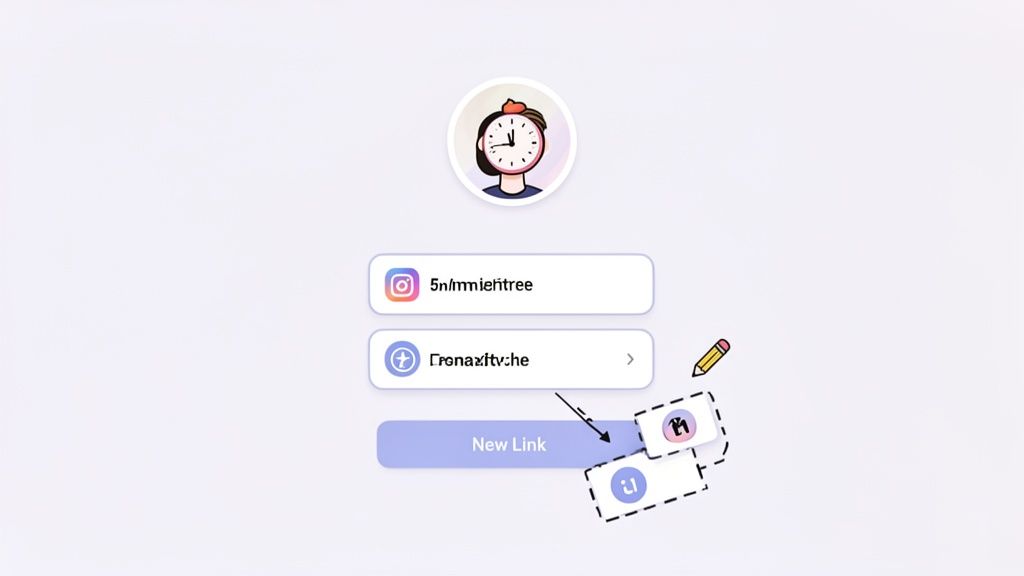
The platform’s simplicity is a huge part of its appeal. Since launching in 2016, it has become a go-to tool for creators and brands. In fact, its user base exploded to 50 million people worldwide by May 2024, which was a massive 22% jump in just five months, according to data reports on Statista. That’s a whole lot of people who depend on it to connect their audience with what matters.
Navigating the Admin Panel
Once you log in, you land right in the admin panel. This is your command center. Forget all the bells and whistles for a moment and focus on the two tabs you’ll use 99% of the time: Links and Appearance.
- The ‘Links’ Tab: This is your bread and butter. It’s where you’ll pop in to add a link to your new YouTube video or drag your most important link—like a flash sale—to the very top of the list.
- The ‘Appearance’ Tab: Think of this as your page’s wardrobe. You can swap out your profile picture, rewrite your bio to reflect a new project, or even change the whole color scheme to match a seasonal campaign.
Essential Linktree Editing Actions
To make things even simpler, here’s a quick reference table for the most common tasks. It shows you exactly where to go and roughly how long it’ll take.
| Editing Task | Location in Dashboard | Estimated Time |
|---|---|---|
| Add a New Link | Links Tab |
Under 1 minute |
| Rearrange Link Order | Links Tab |
Less than 30 secs |
| Edit a Link Title or URL | Links Tab |
Under 1 minute |
| Update Your Bio & Profile | Appearance Tab |
1-2 minutes |
| Change Your Page Theme | Appearance Tab |
1-3 minutes |
| Add a Thumbnail to a Link | Links Tab |
Less than 1 minute |
As you can see, the core functions are built for speed. You can get in, make your changes, and get back to your day in minutes.
Optimizing Your Links for More Clicks
So you’ve added your links. Great! But getting them set up is one thing; getting people to actually click on them is a whole different ballgame. The secret is to stop thinking of them as just URLs and start treating them like tiny billboards for your best content.
It all starts with the link title. A generic label like “My Blog” just isn’t going to cut it. It’s boring and doesn’t give anyone a reason to click. Instead, get specific and action-oriented. Try something like, “Read My Latest Post: 5 Shopify Trends” to tell your visitor exactly what they’re getting.
Think about it this way: every link is a mini call to action. If you’re a Shopify store owner, don’t just put “New Arrivals.” A much more compelling title would be, “Shop the Summer Collection (Get 20% Off!).” That little tweak adds urgency and a clear benefit, making it much harder for a potential customer to ignore.
Make Your Links More Engaging
Once you’ve nailed your titles, you can use Linktree’s other features to make your links pop. These small additions can make a huge difference in how many people interact with your page.
- Add Thumbnails: Never skip the thumbnail. A picture really is worth a thousand words here. Use a product photo, a blog graphic, or even a simple icon. Visuals help people scan your page and find what they’re looking for fast.
- Schedule Your Links: This is a lifesaver for planned promotions. Got a product launch or a flash sale? You can schedule links to go live and disappear automatically. It’s perfect for building hype for a drop without having to manually update your Linktree at midnight.
- Embed Video Content: Instead of just sending people to YouTube or TikTok, you can embed the video right on your Linktree page. Visitors can watch your latest content without leaving your profile, which keeps them locked in with your brand a little longer. Getting these details right is the key to a successful link-in-bio page. In fact, learning how to improve click through rates is one of the most valuable skills for driving traffic from your social profiles to your most important pages.
If you want to get organized, try using a link in bio template to map everything out. Planning your link strategy ahead of time ensures every single link has a clear purpose and a better chance of getting that click.
Designing a Linktree That Reflects Your Brand
Your Linktree page is often the first real “handshake” a follower has with your brand. A generic, out-of-the-box look just won’t cut it. To really make an impact, you need to head straight to the Appearance tab and transform that default template into a true extension of your business.
Think of it this way: your Linktree is the digital front door. You wouldn’t want it to look completely different from the rest of your brand’s “house.” Creating a cohesive visual experience from social media to your link-in-bio page, and finally to your store, is what builds trust and keeps customers on the right path.
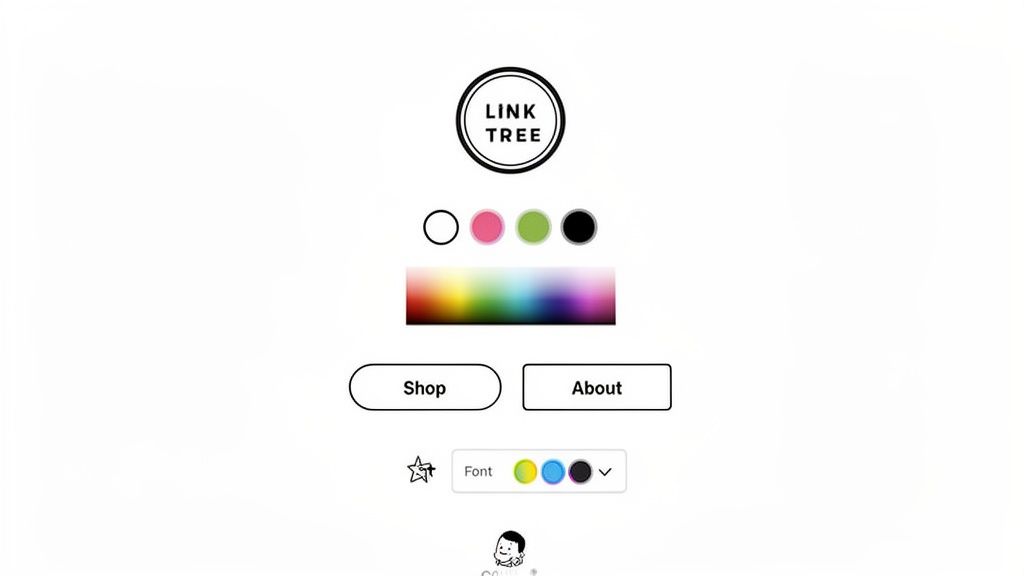
Spending a few minutes on design isn’t just about aesthetics; it’s a smart move. With 7.5 million websites linked through the platform, standing out is essential. A recent Tubefilter report even found that 40% of internet users feel overwhelmed by too many choices. A clear, branded page helps cut through that noise.
Choosing Your Visual Elements
Your first stop in the Appearance tab is deciding on a theme. You can get a huge head start by picking one of Linktree’s pre-made themes—there are over 100 to choose from.
If you’d rather build your design from the ground up, Linktree gives you the tools to get specific.
- Backgrounds: Don’t just settle for a solid color (though you can plug in your exact brand hex code). You can create a slick gradient or even upload a custom branded image or video to make your page dynamic.
- Buttons: This is where you can guide your visitor’s eye. Choose from different button styles, like sharp modern corners or softer rounded edges. Adding a drop shadow or an outline can make your most important links pop.
- Fonts: Consistency is key. Pick a font that matches the one on your website and in your marketing emails. It’s a subtle detail, but it makes your brand feel much more professional and unified. Getting these fundamentals right is crucial. For a deeper look at the strategy behind these choices, check out our guide on how to design landing pages that actually convert. By carefully picking these elements, you’re not just making a pretty page—you’re creating an on-brand experience that encourages people to click.
Using Analytics to Make Smarter Edits
Making changes to your Linktree without checking the data first is just guesswork. You might get lucky, but you’re not building a real strategy. Your analytics tab is where the magic happens—it’s the roadmap showing what your audience actually cares about.
This data is what separates a static page from a high-performing conversion tool. It shows you what’s working and what isn’t. For instance, if you see a huge spike in clicks on your latest blog post link right after mentioning it on TikTok, you’ve just found a winning formula you can repeat.
What the Numbers Are Really Telling You
When you first open your analytics, it’s easy to get overwhelmed. My advice? Ignore the noise and focus on the few metrics that tell the most important story.
- Total Views: Think of this as foot traffic. It’s how many people landed on your Linktree page, giving you a baseline for your page’s visibility.
- Total Clicks: This is the total number of times any link was tapped. It’s your main measure of engagement—are people just looking, or are they taking action?
- Click-Through Rate (CTR): This is your most powerful metric. It’s your total clicks divided by your total views, and it tells you how effective your page is at converting visitors into clickers. A high CTR means your links are compelling. For a deeper dive into what you can and can’t see, our article explores whether Linktree shows who clicks your links and how to use the data you do have.
The competition for your audience’s attention is fierce. Linktree alone saw traffic hit 286.52 million visits in a single month. What’s more, a staggering 74.36% of that traffic was on mobile, proving just how crucial a clean, fast-loading page is for people on the go.
By tapping into your analytics, you can get a piece of that action. Some brands have seen click-throughs to their platforms jump by over 157% by making data-informed tweaks. For a full breakdown of these trends, you can explore the insights on Semrush.com. Use your data, and you’ll turn your Linktree from a simple link list into a powerful engine for your brand.
Advanced Strategies for Shopify Merchants
If you’re running a Shopify store, a standard link-in-bio page can feel like a missed opportunity. It gets traffic to your site, which is great, but it doesn’t actually close the sale. The real goal is to turn your social media bio from a simple list of links into a direct sales channel that converts browsers into buyers on the spot.
This is all about removing friction. Every extra click is a chance for a potential customer to get distracted and leave. Instead of making them navigate from your bio to your site, find the product again, and then add it to their cart, a shoppable page lets them buy right then and there. If you’re looking to build a truly seamless experience, exploring broader Shopify marketing strategies can give you a bigger picture of how this fits into your overall plan.
When to Make the Switch to Shoppable
So, when is it time to upgrade? Your analytics hold the answer. If you’re seeing a ton of traffic from social media but your conversion rate is low, that’s a huge red flag. It’s a classic sign that the extra steps in your sales funnel are costing you real money.
This simple decision tree can help you use your data to figure out your next move.
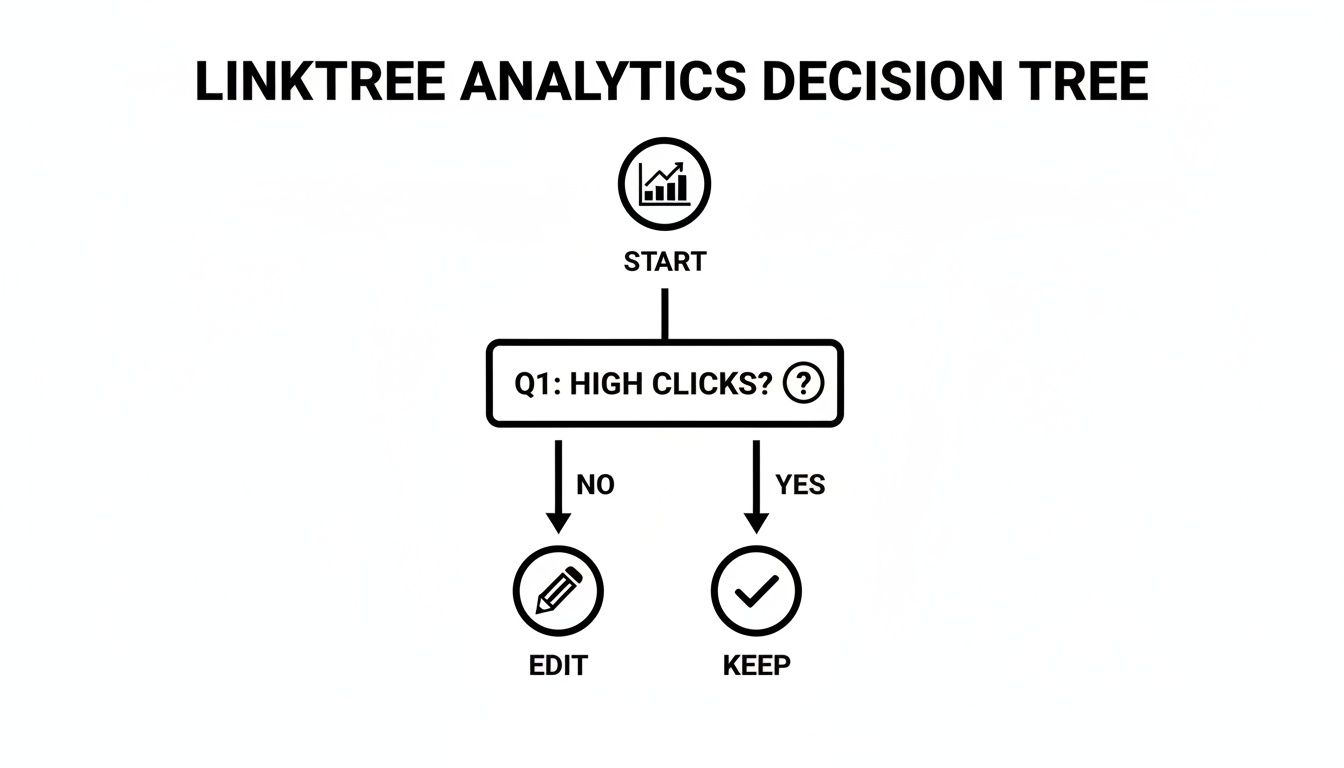
Basically, if your link clicks are low, you need to edit your existing links now. But if clicks are consistently high and sales aren’t matching up, you’re likely ready for a more powerful, sales-focused tool.
Dedicated Shopify apps like LinkShop bridge this gap by connecting directly with your store. This integration unlocks some game-changing features:
- Embedded Product Collections: You can display entire product collections right on the page, just like your main storefront.
- One-Click ‘Add to Cart’: Customers can add products to their cart without ever leaving the page. It’s that simple.
- Automatic Inventory Sync: Your shoppable page is always up-to-date with your actual stock levels, preventing overselling. This is more than a small tweak; it’s a fundamental shift in strategy. While a basic Linktree works for some, many merchants discover that even the top free alternatives to Linktree can’t compete with the raw conversion power of a native shoppable experience.
Your Linktree Editing Questions, Answered
As you start tweaking your Linktree, you’re bound to run into a few common questions. I see them pop up all the time. Getting these sorted out early will save you a ton of headaches down the road.
How Often Should I Update My Links?
First up: how often should you be changing things? There’s no single right answer, but a good habit is to give your page a quick review once a week.
You’ll definitely want to edit your Linktree any time you have something new going on:
- Launching a new product or collection
- Publishing a fresh blog post or video
- Kicking off a sale or promotion Keep an eye on your analytics, too. If you see one link getting all the love, move it to the top! It’s a simple way to give people more of what they want.
Troubleshooting and Making Smart Choices
So, you’ve set everything up, but your analytics are a blank slate. Don’t panic. It’s totally normal for there to be a short delay after you first create your account or upgrade to a paid plan. Give it up to 24 hours. If you’re still not seeing any data after a day, that’s when it’s time to reach out to Linktree’s support team.
Another question I hear all the time is: “Can I undo a change?”
Finally, for anyone running a Shopify store, the big question is when to stick with Linktree versus switching to a shoppable bio page. Linktree is great for sending traffic to different places. But a tool like LinkShop integrates directly with your Shopify backend.
This means customers can browse and add products to their cart right from your bio page—they never have to leave Instagram. It removes a massive point of friction and can seriously lift your sales. Learning how to edit Linktree is a great first step, but knowing when to upgrade to a dedicated sales tool is how you really start to grow.
Ready to turn your social media bio into a real sales channel? With LinkShop, you can create a beautiful, shoppable link-in-bio page that integrates directly with your Shopify store. Stop sending customers away—let them shop right where they are. Start your free trial at /linkshop.

