How to Use ManyChat with Shopify Checkout Links (DM-to-Checkout in 2 Taps)

Someone comments "WANT" on your Instagram post. ManyChat sends them a DM. Inside the DM: a checkout link with the product and discount already loaded. They tap once to open it, once to pay. Two taps from comment to checkout.

That's what this integration does. No landing pages. No link-in-bio. No "check the link in my bio and then navigate to the product and then add it to cart and then enter a discount code." Just comment, DM, buy.

What ManyChat + Checkout Links Actually Does

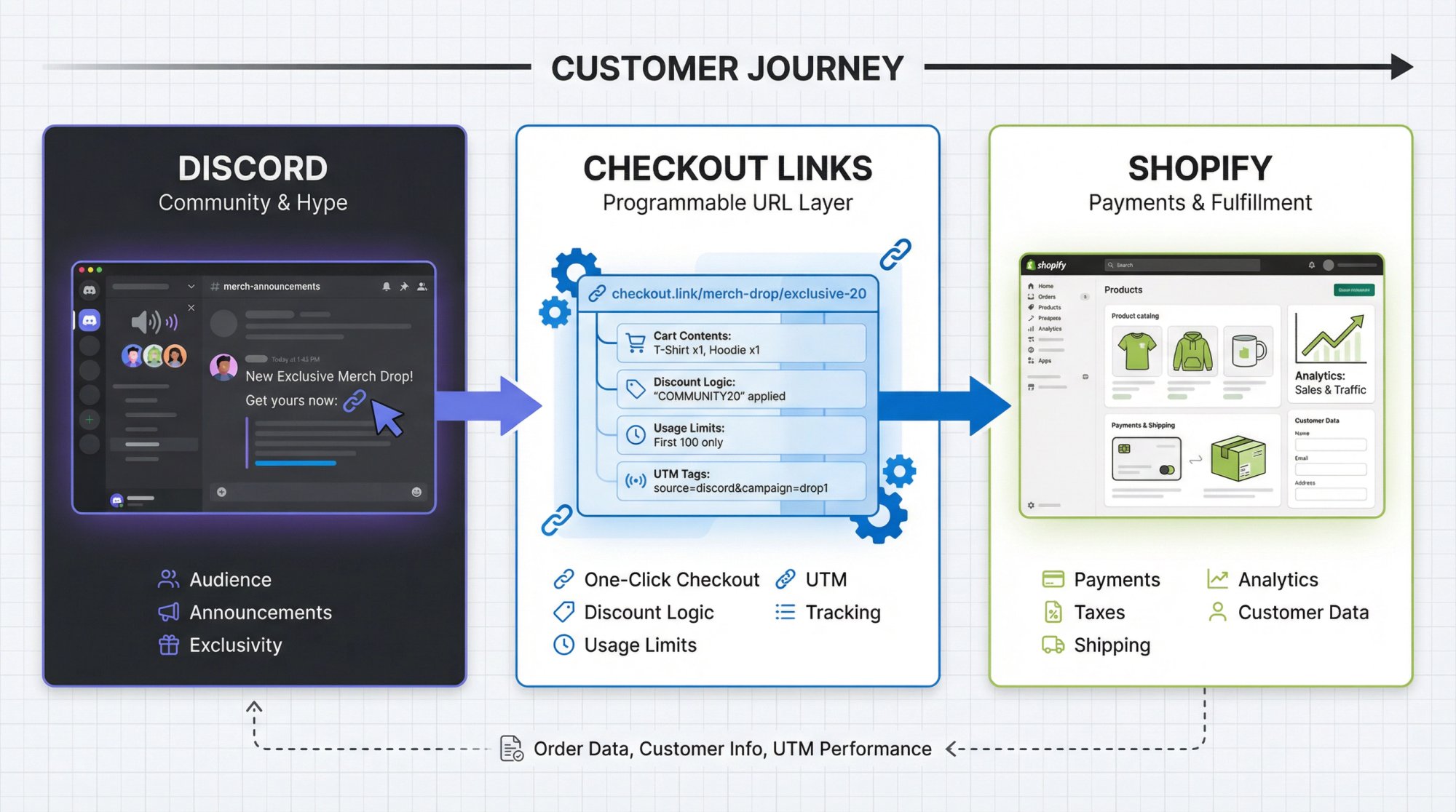
ManyChat handles the messaging automation. Checkout Links handles the checkout.

When someone triggers a ManyChat flow — by commenting a keyword, replying to a Story, or DMing your page — ManyChat fetches a checkout link from your Checkout Links account in real time. That link drops the customer straight into Shopify checkout with products, quantities, and discounts pre-loaded.

The customer never sees your store. They never browse. They never add to cart. They go from Instagram DM to Shopify checkout in one tap.

This matters because every step you remove from a purchase flow increases conversion. The standard Instagram shopping flow looks like this:

  1. See post
  2. Tap link in bio
  3. Land on website
  4. Find the product
  5. Add to cart
  6. Enter discount code
  7. Checkout

With ManyChat + Checkout Links, it's:

  1. Comment on post
  2. Tap the link in the DM

That's it. Two steps instead of seven.

Why DMs Convert Better Than Link-in-Bio

Instagram DMs have 80%+ open rates. Email sits around 20%. That alone should tell you where to put your checkout links.

But it's not just open rates. DMs feel personal. When someone gets a message in their Instagram inbox with a button that says "Get Your Bundle," it doesn't feel like marketing. It feels like a reply. That's why DM-to-checkout flows consistently outperform link-in-bio setups for flash sales, limited drops, and impulse purchases.

Link-in-bio works fine for always-on traffic. But when you're running a promotion and want people to buy now, sending them to a DM with a direct checkout link removes every possible point of friction.

How to Set It Up (Step by Step)

You need three things: an active Checkout Links subscription, a ManyChat account connected to your Instagram business page, and at least one checkout link created in Checkout Links.

1. Create Your Checkout Link

In the Checkout Links app, create a link with the product, variant, and quantity you want. Add a discount if you're running a promo. Turn on tracking if you want to measure performance.

This is the link ManyChat will send to customers. Any changes you make to it later (different product, updated discount) are reflected immediately — ManyChat fetches the link live every time.

2. Install the Checkout Links App on ManyChat

Go to the Checkout Links app on the ManyChat App Store. Enter your Shopify store domain and your ManyChat API key (found in ManyChat under Settings > API). Click Connect.

The app automatically creates a checkout_link_url custom field in your ManyChat account. This field stores the checkout link URL for each subscriber.

3. Build Your Automation Flow

In ManyChat, create a new automation from scratch. Here's the basic comment-to-DM flow:

Trigger: Set it to "User Comments on Your Post or Reel." Select the post and add a keyword (like "BUNDLE" or "SHOP"). Leave Public Reply off — this goes straight to DMs.

Action: Add a step, select Actions, then choose the Checkout Links integration. Select "Get Checkout Link" and pick the link you want to send. Map the result to the Checkout Link URL custom field.

Message: Add an Instagram Send Message step. Write your message (something like "Here's your exclusive link!"). Add a button, set it to Open Website, and use the Checkout Link URL variable as the URL.

Publish: Review the flow and hit Publish. When someone comments your keyword, ManyChat fetches the checkout link and DMs it to them automatically.

4. Test It

Comment the keyword on your post from a test account. You should get a DM within seconds with a button that takes you straight to Shopify checkout, products already in the cart.

3 ManyChat Flows That Work for Shopify Stores

Flash Sale Keyword Trigger

Post a product photo. Caption says "Comment SALE to get 20% off — link sent straight to your DMs." ManyChat picks up the keyword, fetches a checkout link with a 20% discount pre-applied, and DMs it. The customer taps and checks out at the discounted price without entering a code.

This works because it creates urgency and removes friction at the same time. They don't have to find a code, remember a code, or navigate to your store. The discount is baked into the link.

Product Launch Early Access

Before a launch, post a teaser. "Comment EARLY to get first access." ManyChat collects the comments and DMs each person a checkout link the moment the product goes live. You can even set the checkout link to activate on a schedule in Checkout Links, so the link only works when you're ready.

This turns your Instagram comments into a pre-launch waitlist — except instead of an email they'll ignore, they get a DM they'll actually open.

Win-Back Comment Trigger on Reels

Post a Reel showcasing a product. Set up ManyChat to trigger on any comment (or a broad keyword like "WANT" or "NEED"). Everyone who engages gets a DM with a checkout link. If you want to sweeten it, attach a small discount.

Reels have the widest reach on Instagram. When one takes off, this automation turns every comment into a potential sale without you lifting a finger.

Pricing: ManyChat + Checkout Links vs Alternatives

Stack Monthly Cost What You Get
ManyChat Free + Checkout Links $25/mo DM automation + direct checkout links with analytics
ManyChat Pro + Checkout Links $30/mo Unlimited contacts, advanced automation + checkout links
GoHighLevel $97/mo CRM, funnels, automation — but no native Shopify checkout integration
ClickFunnels + ManyChat $114+/mo Funnel builder + DM automation — extra steps, no direct checkout

ManyChat's free plan supports up to 1,000 contacts and covers the basics. Checkout Links starts at $25/mo. So you can run DM-to-checkout automation for $25/mo total.

GoHighLevel costs $97/mo and doesn't create Shopify checkout links natively — you'd need to build landing pages as an extra step. ClickFunnels adds another layer of complexity (and cost) without solving the core problem: getting someone from a DM to a Shopify checkout as fast as possible.

Get Started

The Checkout Links ManyChat integration is live and available now. If you're already using ManyChat for Instagram automation, adding checkout links takes about 10 minutes to set up.

If you're not using ManyChat yet, their free plan is enough to test the flow. Create a checkout link, connect ManyChat, set up one keyword trigger, and see what happens.

Install Checkout Links →